Skip to main content
Web Pages (Provider Landing Page)
- Each business that sells the online classes receives its own webpage
(example: https://subdomain.onlinetexasltc.com/shoot‐point‐blank https://shoot‐point‐blank.onlinetexasltc.com/).
>>> The new system is subdomain-based. Each business will receive a dedicated subdomain URL.
- Each page is based on a standard template.
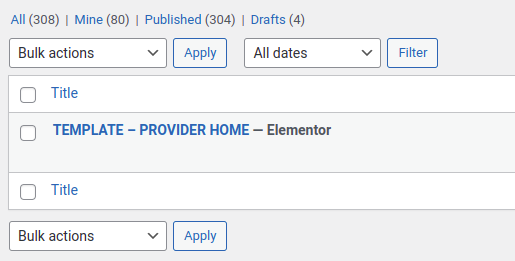
- You can view and edit that standard template in wp-admin > Pages > TEMPLATE - PROVIDER HOME page.
This is the page that is cloned for every provider, as their dedicated home page. This means, that all the
providers' home pages are just normal pages, which super admin can make any change to.
Any changes you make to this page template page will apply to future registrations.
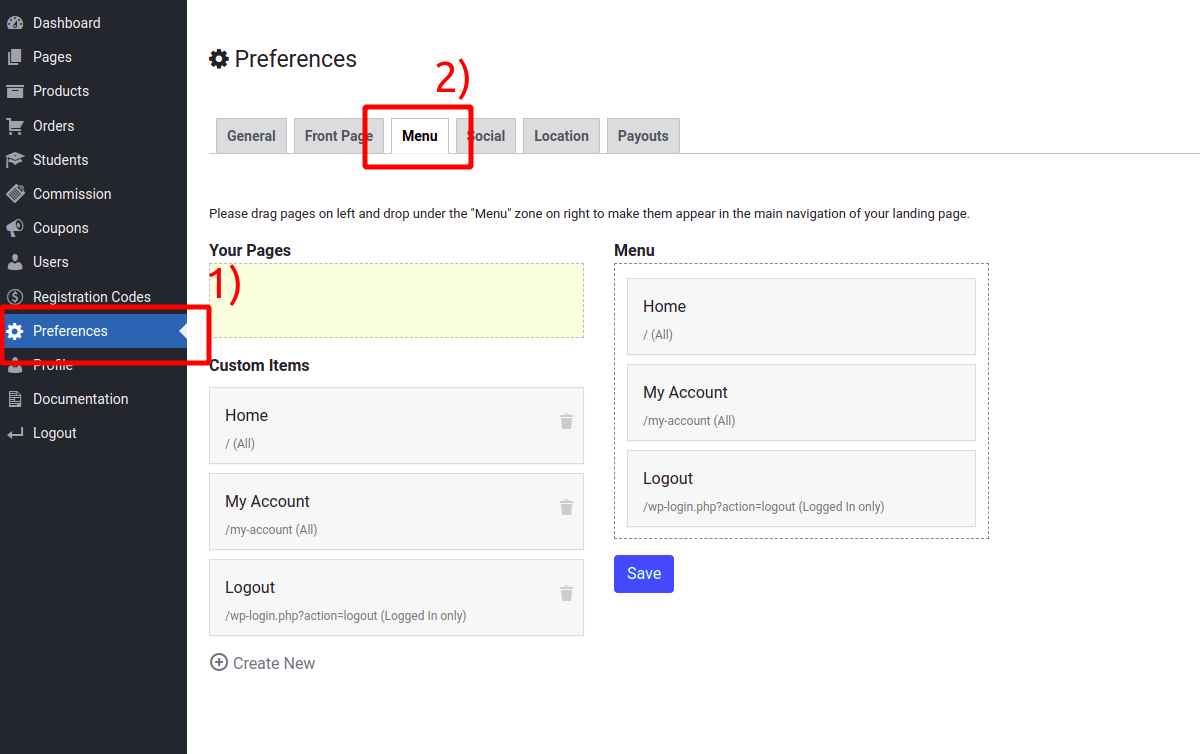
- These pages will not have the standard site menu at the top to keep customers on the business page.
>>> Whenever a provider home template is cloned for it on signup, the provider home page gets a simple basic navigation bar.

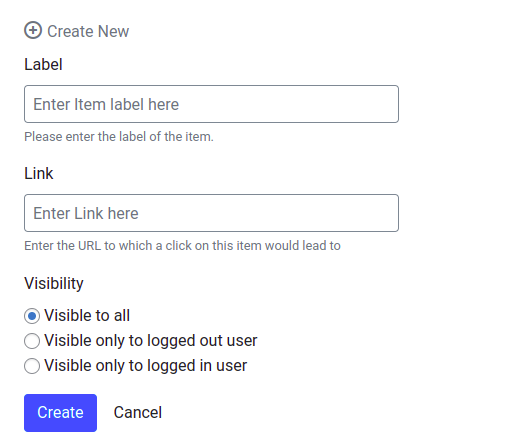
Provider admin can add/remove navigation items from provider admin.

- Individual business webpages need to be customizable as well for custom content a business may want.
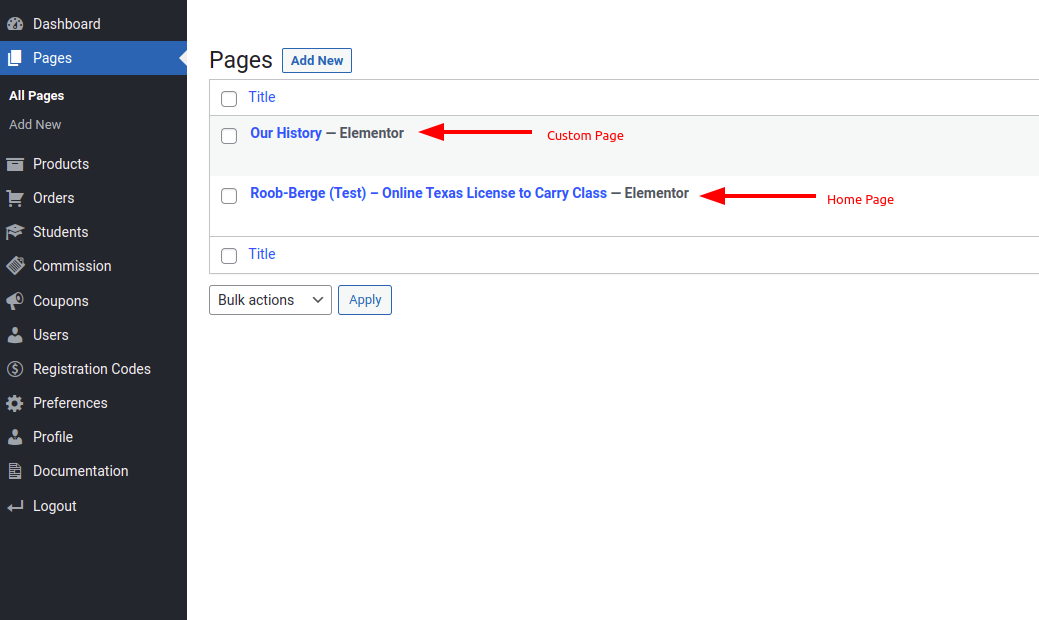
>>> Provider admin can also create additional pages. Those pages are then available to be drag-n-dropped to the menu on the screen shown above.
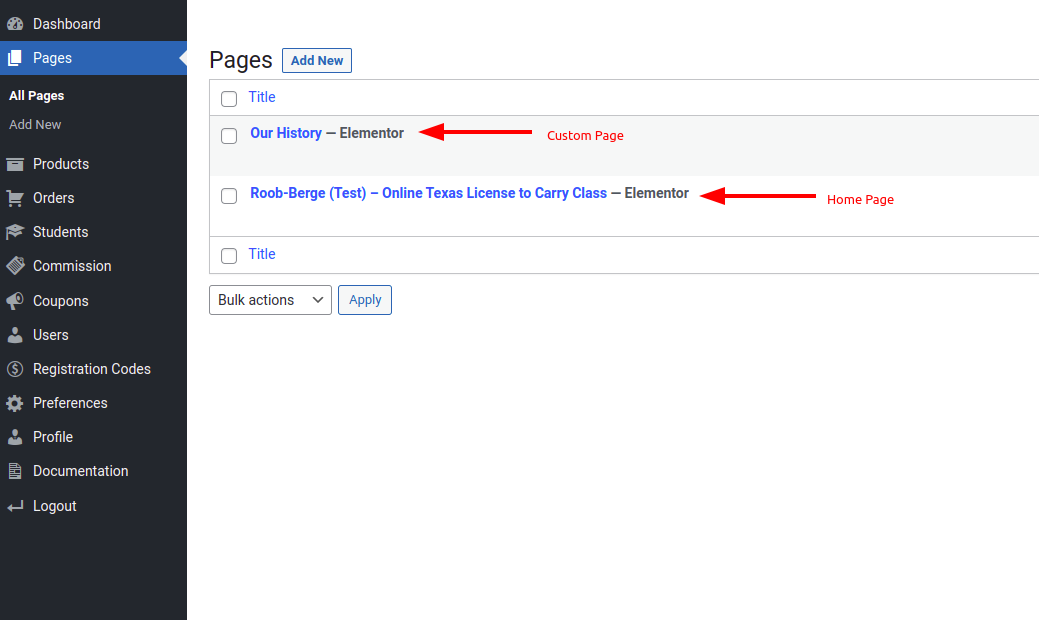

- The page will be automatically created upon the business signing up.
- The page will have the business products to purchase and some basic information about the class.
For an example see: OnlineTexasLTC.com/Shoot‐Point‐Blank
>>> The standard template for the provider home page also contains a shortcode [LTC_PRODUCTS]. This
displays the provider's products and can also be used on custom pages that the provider creates.
- This page template does not have to stay as it is. Better-looking pages would be good.
>>> Initially, we developed multiple header designs for the provider's home page. But on Joel's request in a meeting, we restricted it to one common header design for all providers
- Sign Up Form (http://onlinetexasltc.com/becomeaprovider/) Businesses will be able to sign up to become a provider and fill out the form.
>>> It's https://sabademoproject.com/become-a-provider/, a two-setup signup process.

Step 1
After the first step, the super admin will receive an email alert:

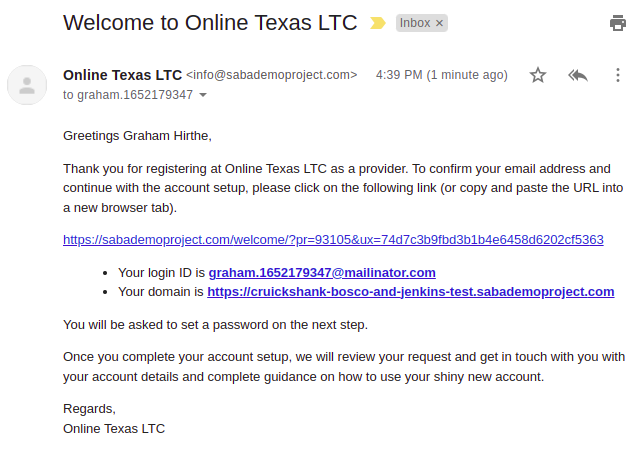
so does the provider as well:
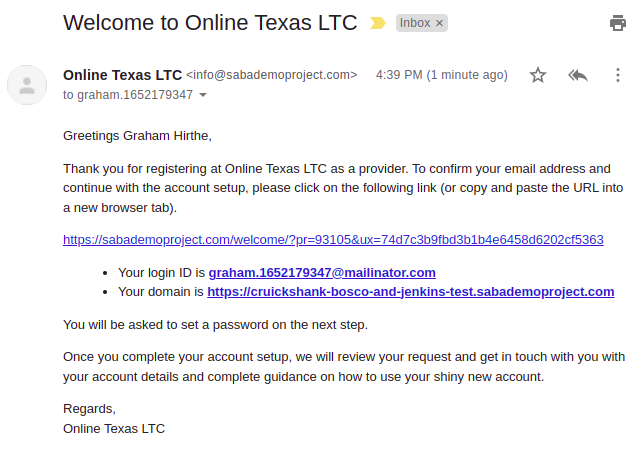
The provider clicks the link and completes the registration:
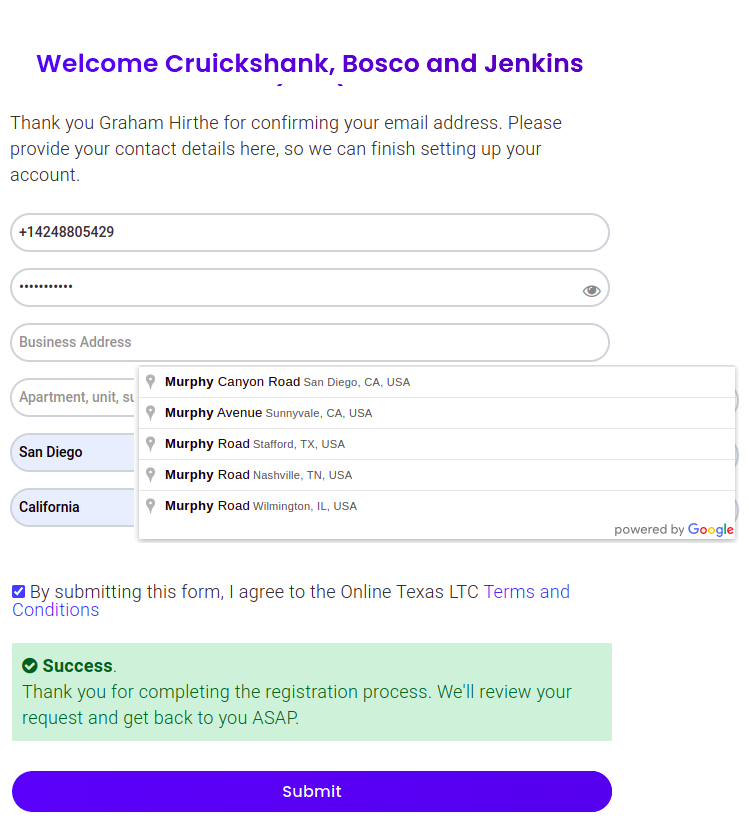
Step 2
And then the superadmin receives another email:

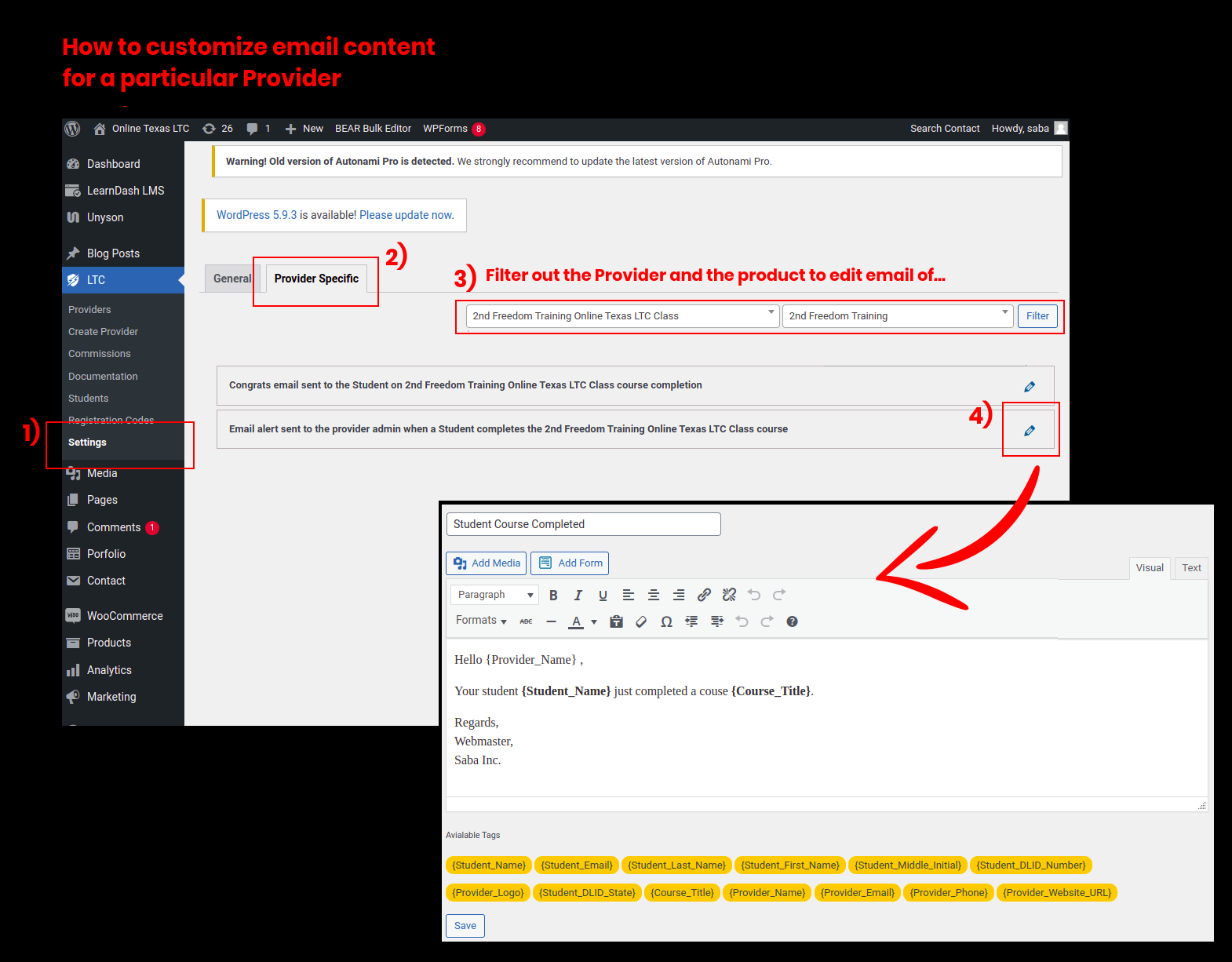
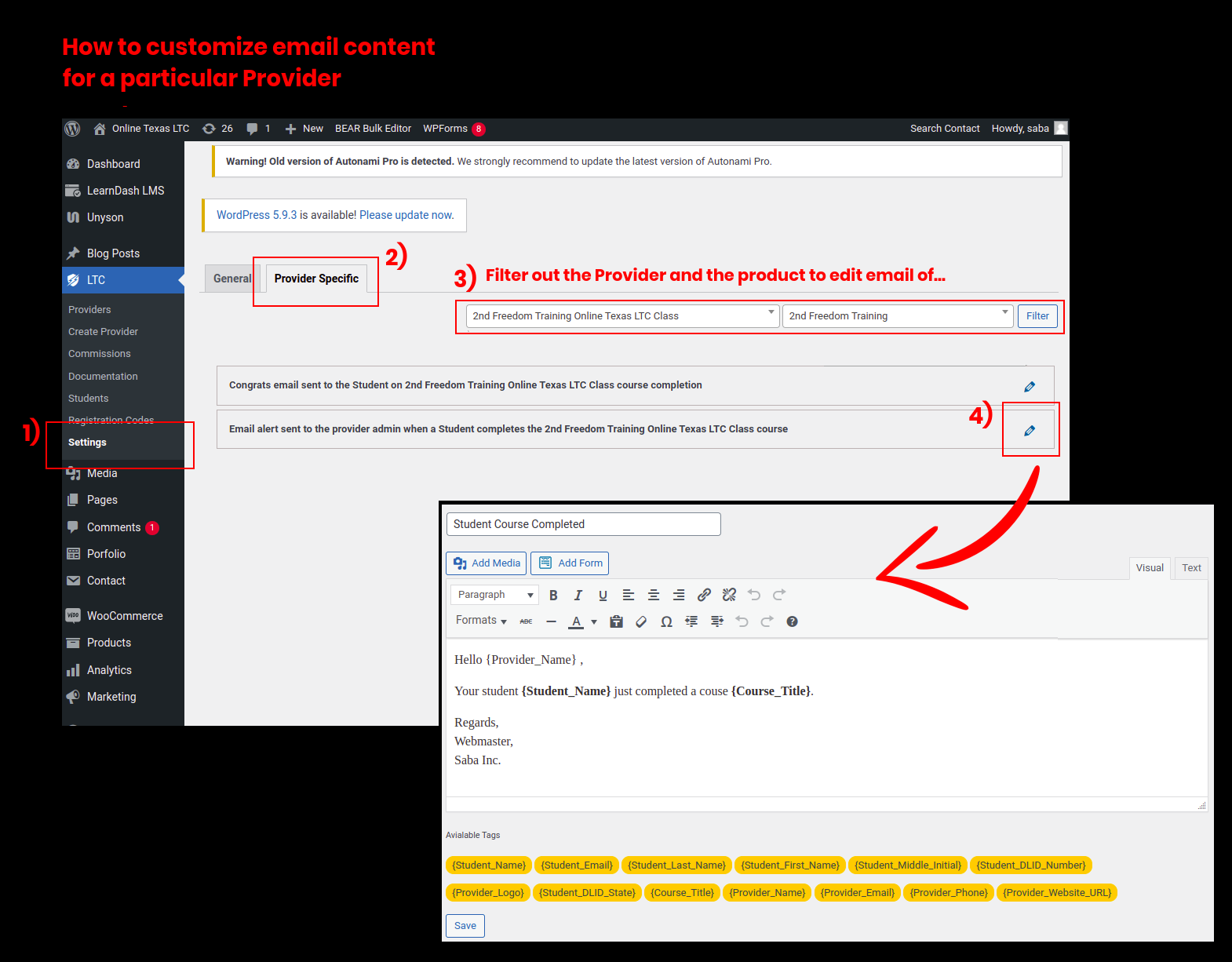
Email contents of these emails are customizable via wp-admin > LTC > Settings:
- The webpage and account setup of the business will be automated.
- Super admin can also create a provider from the super-admin backend