Skip to main content
Website Backend (Super admin) **
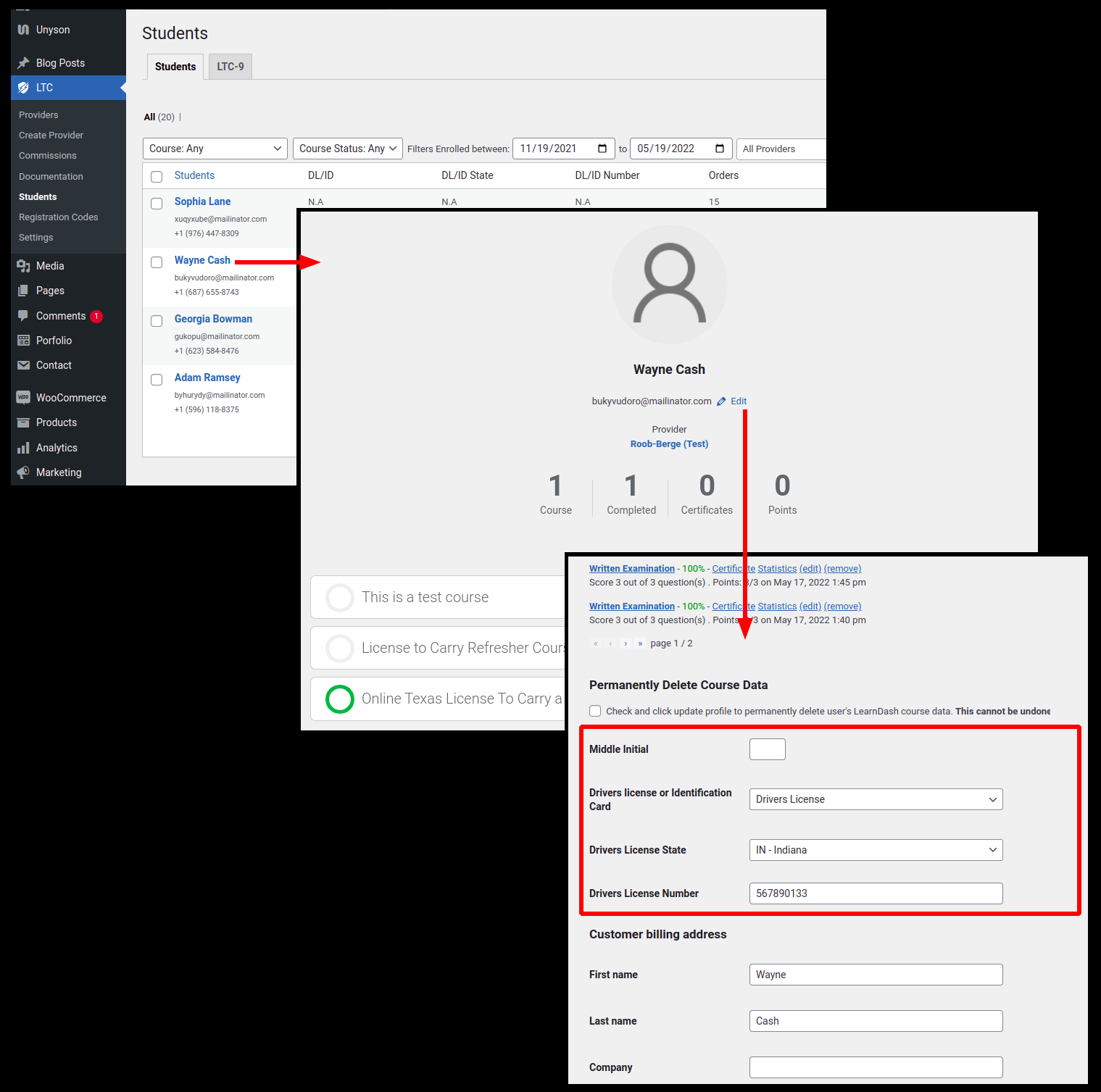
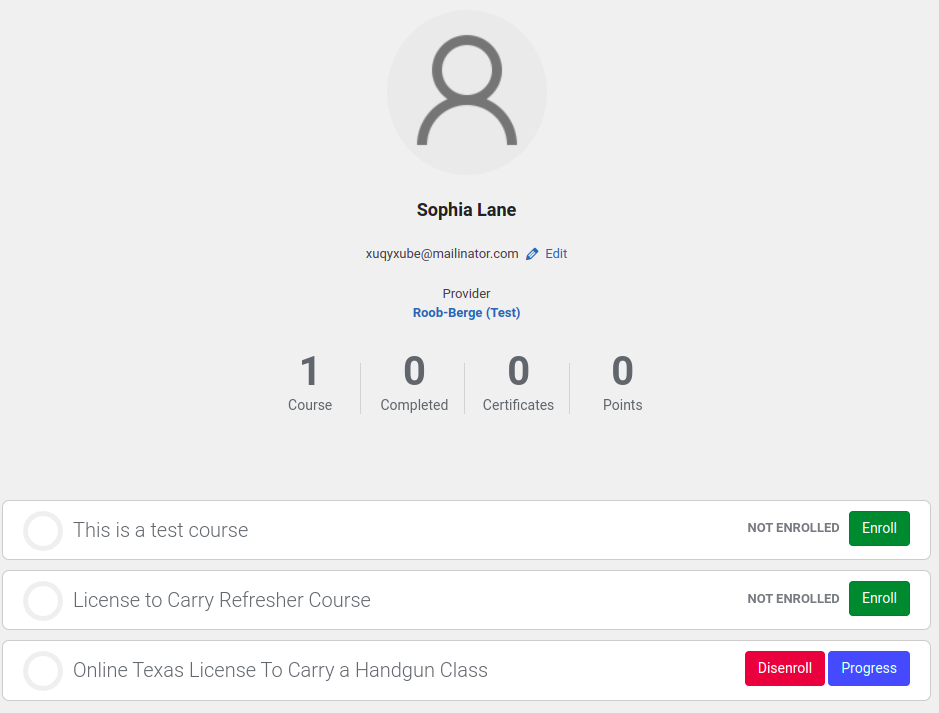
- Ability to view and edit all user information

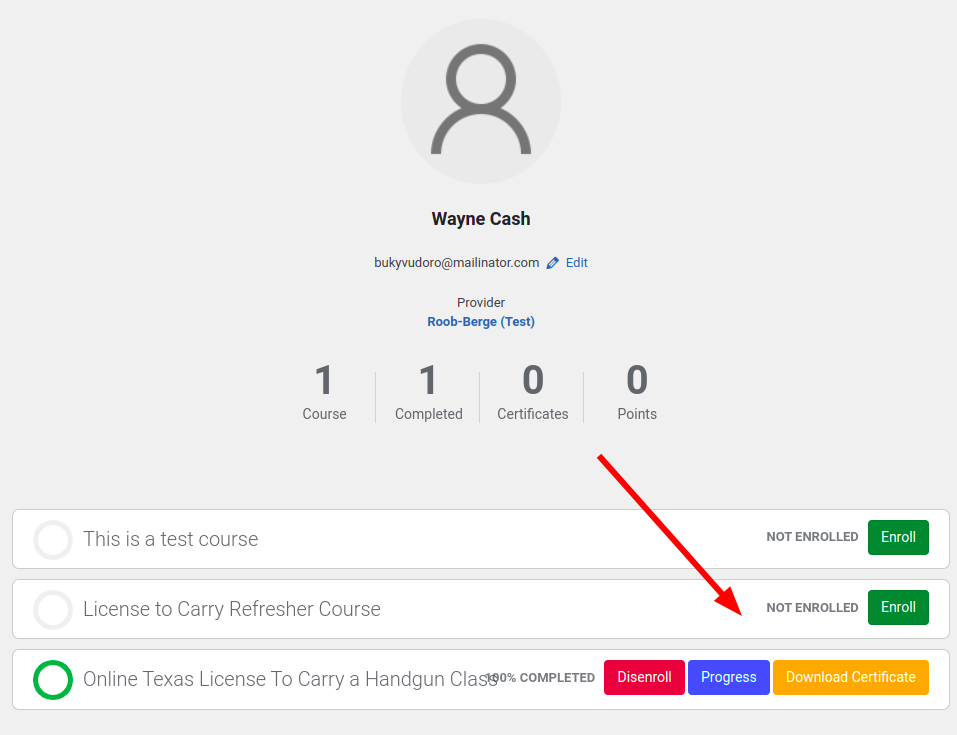
- Including certificates of completion of LTC class

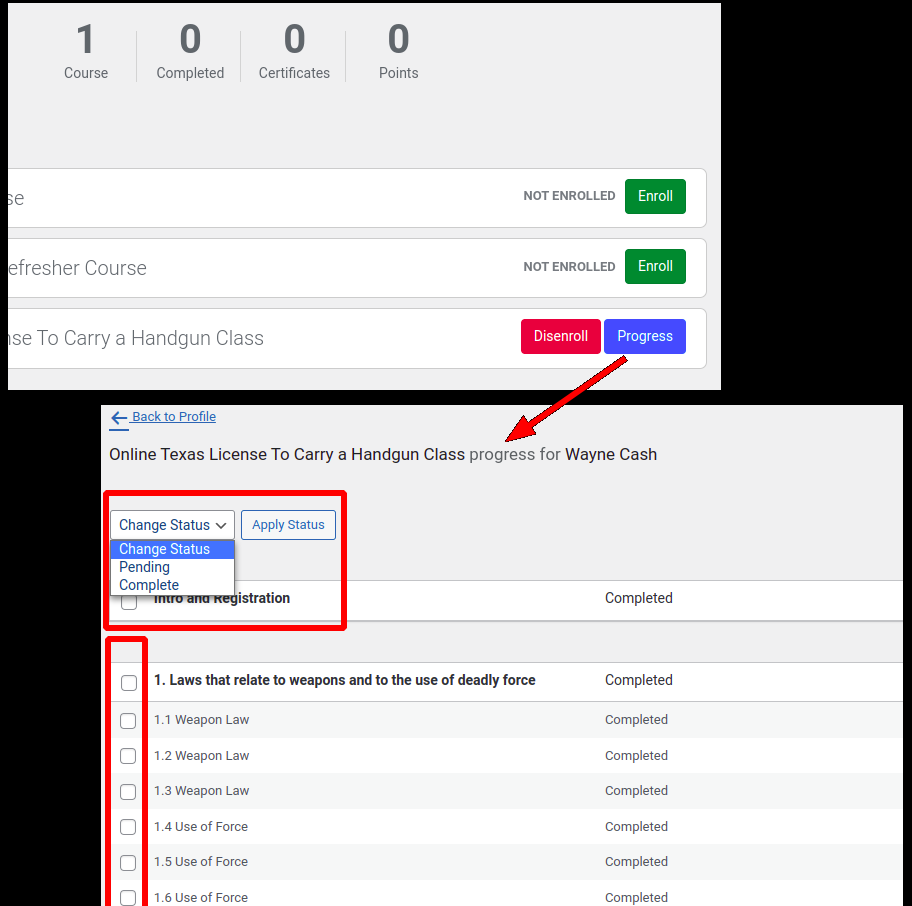
- Enroll or de‐enroll students from the online classes

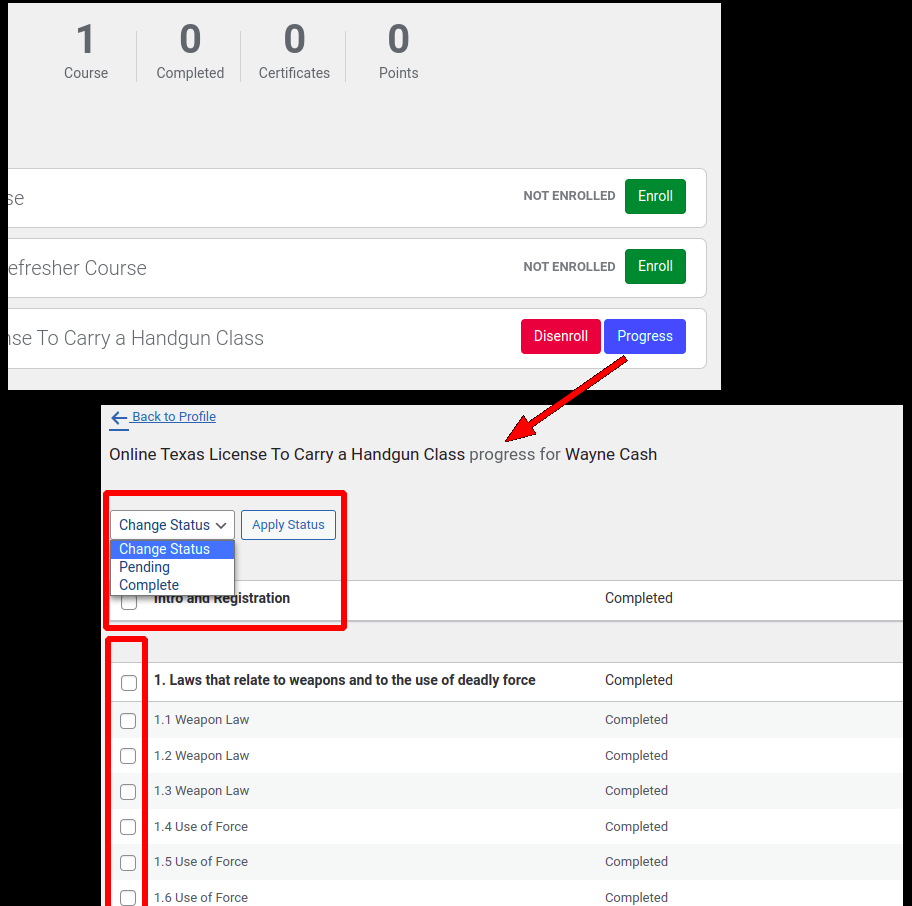
- View and edit course progress
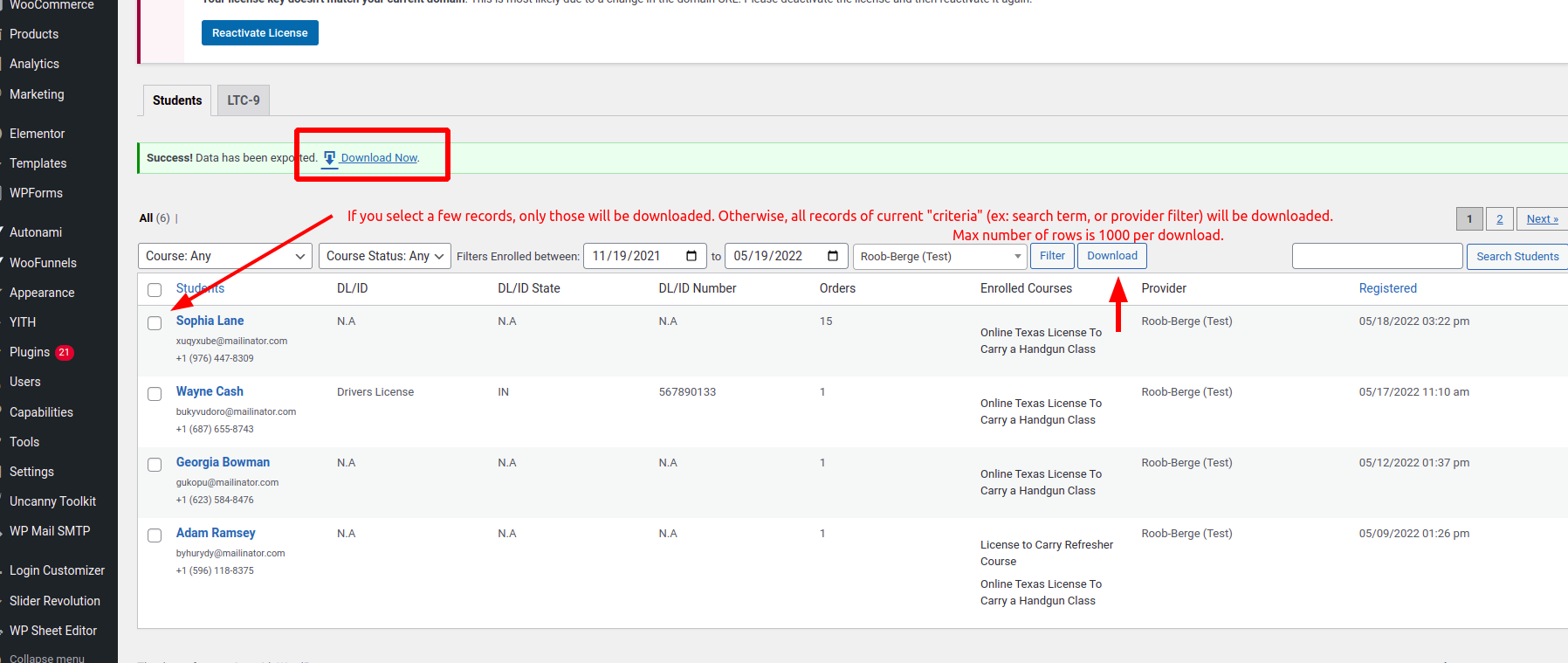
- Export all student information to excel
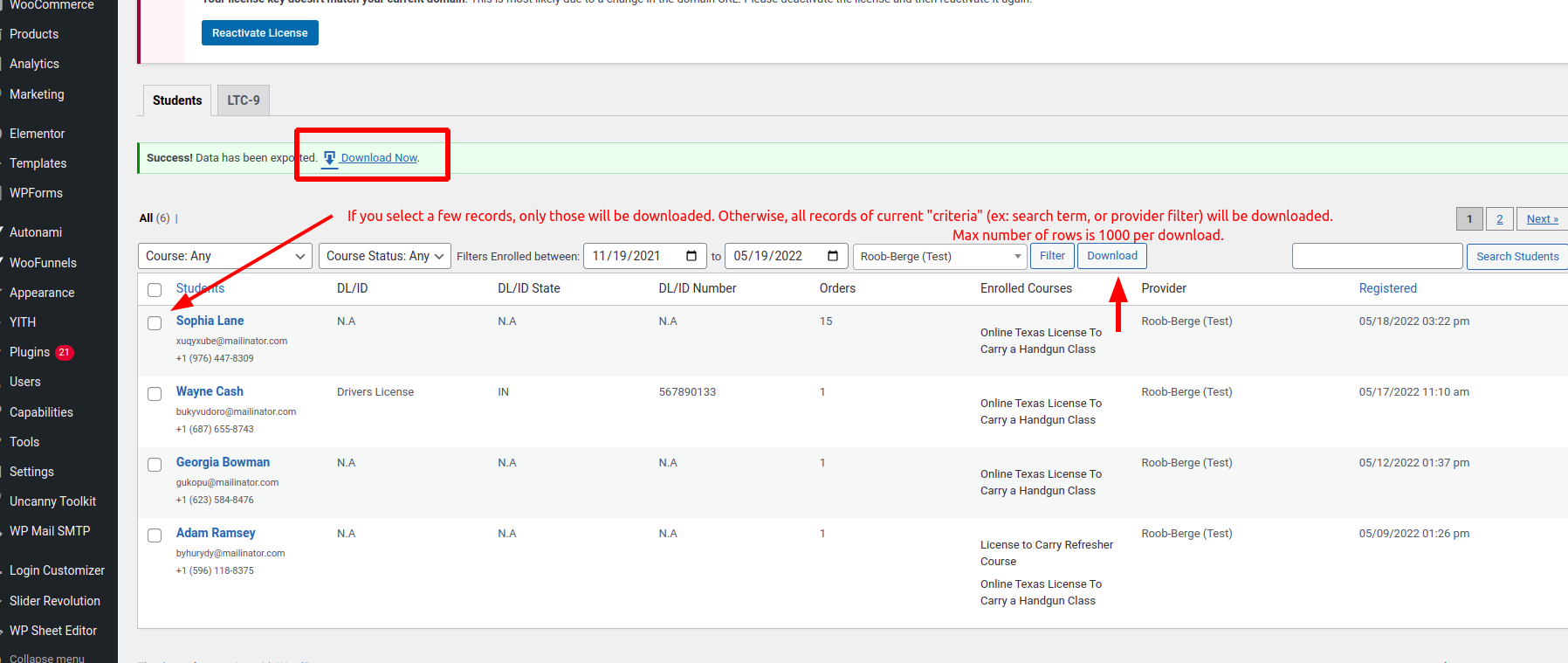
- Include every student in export
>>> See above.
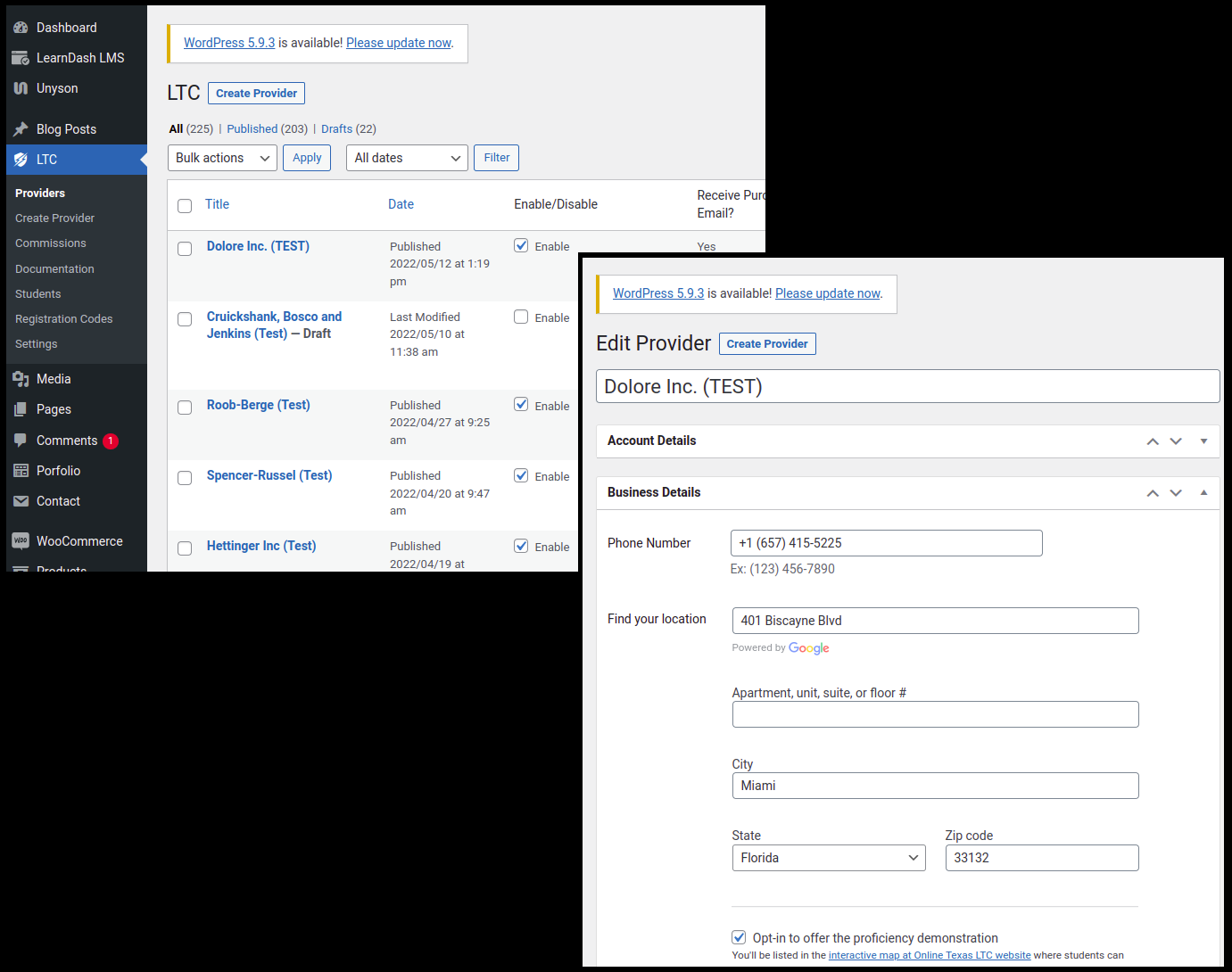
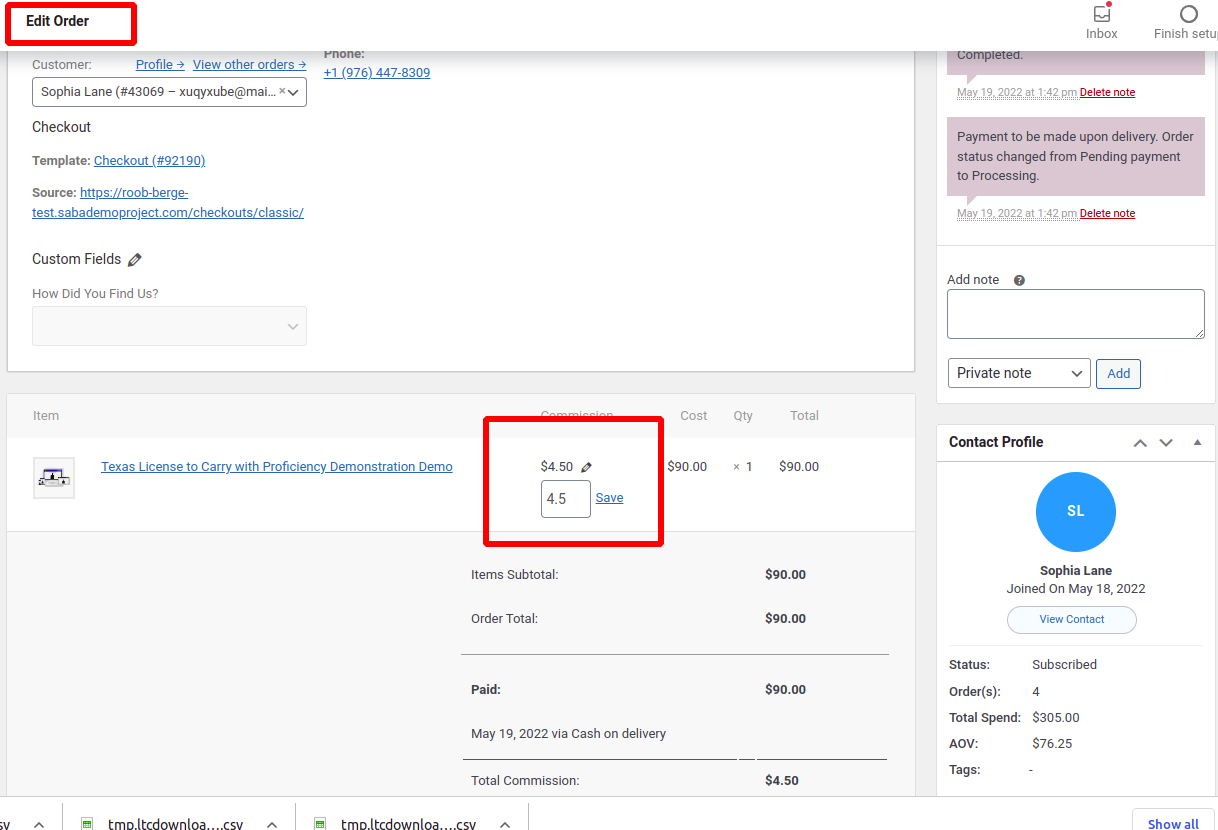
- View and edit business data and information including (order) commissions

- View and edit orders/purchases
>>> That's just Woo's default order page for super admin.
- Edit orders and commissions after orders have been completed
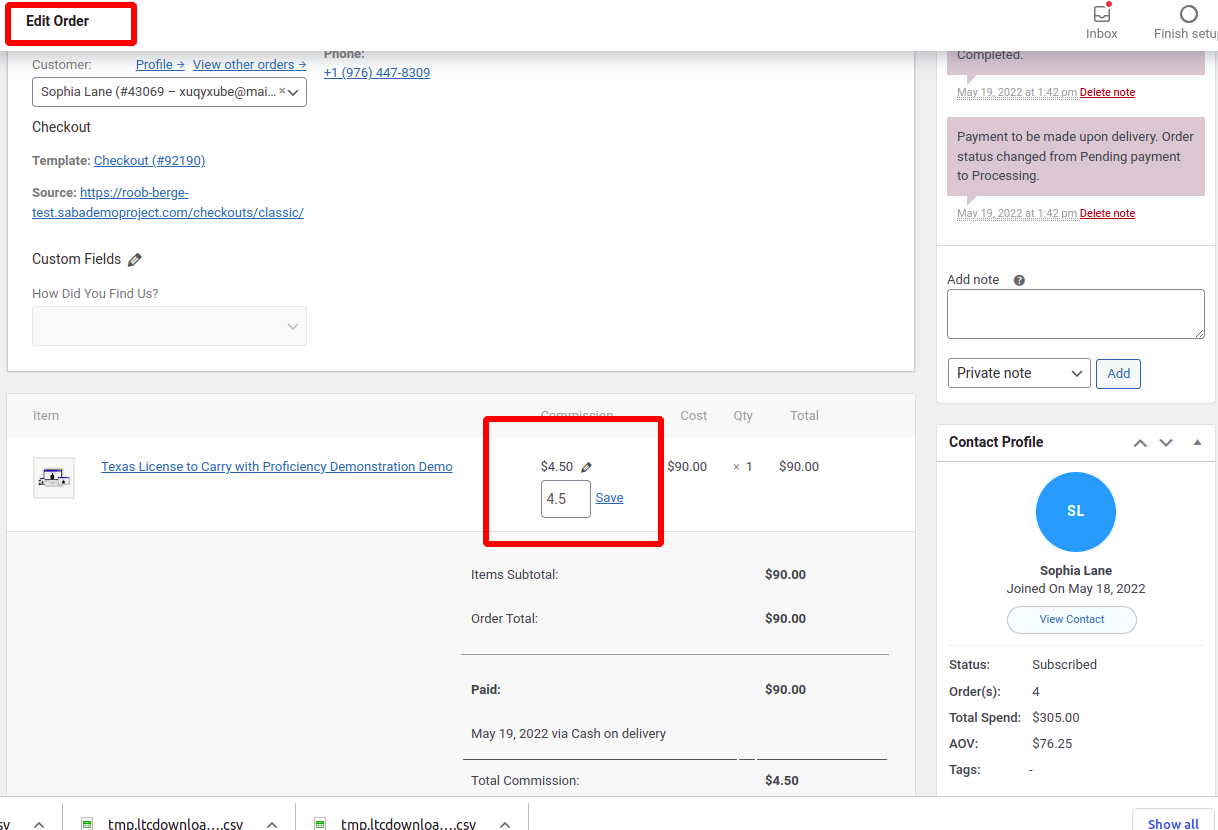
- Change which product was ordered and Process commissions based on the change of the product
>>> ** Feature not working
- Hide/encrypt bank information for businesses
- Ability to assign a customer to a different business
(Doing this would allow that business to view that customers class information)
- Automatic website backups to Microsoft OneDrive
>>> Instead of Microsoft OneDrive, we use Acronis Off-premises backup service which secures all files and databases, we'll activate it when we buy a new server for the new system at the time of go-live.
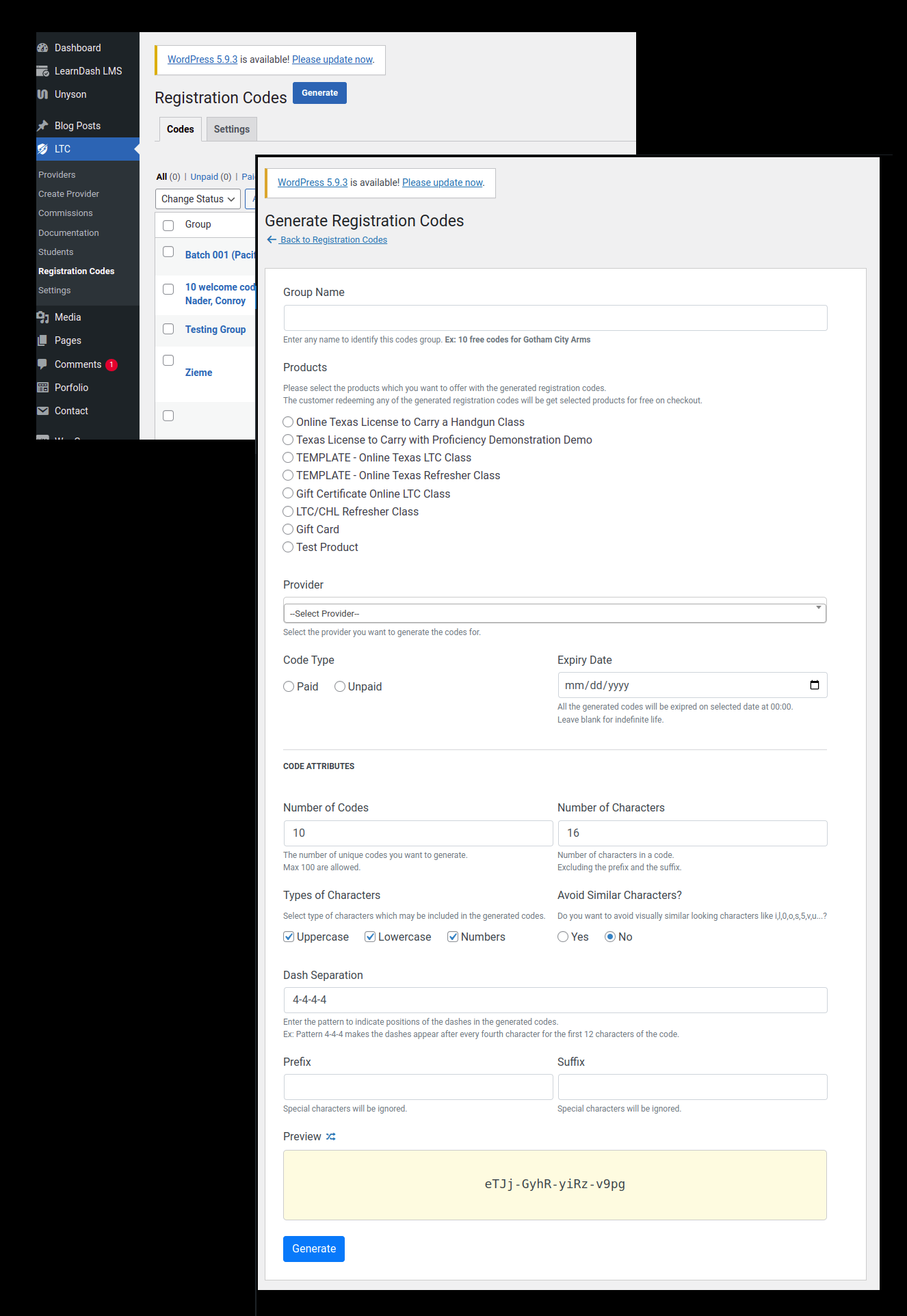
- Manually create registration codes for businesses
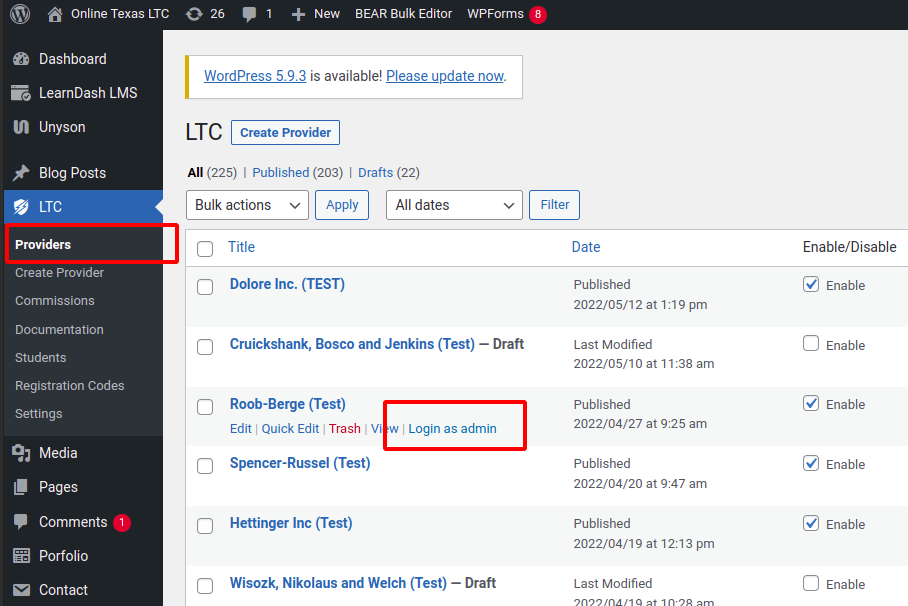
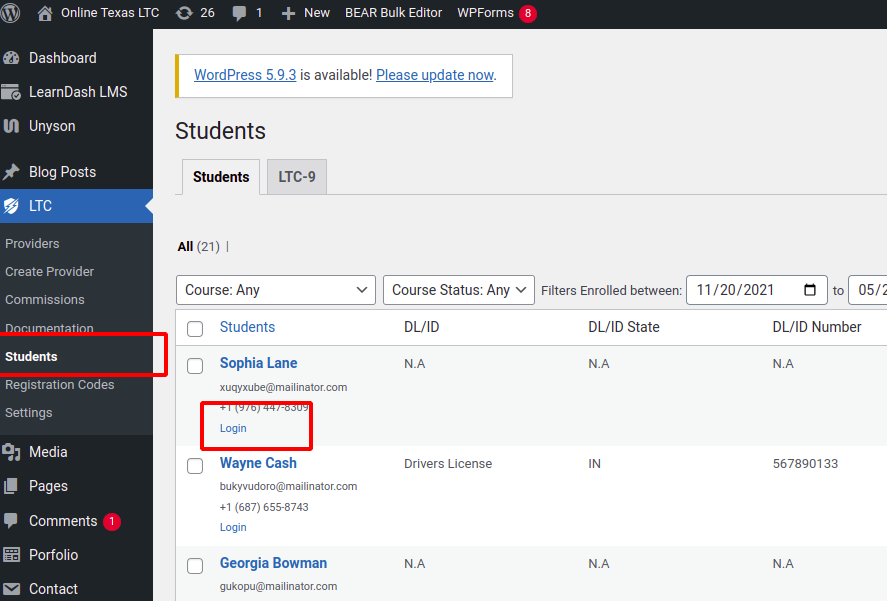
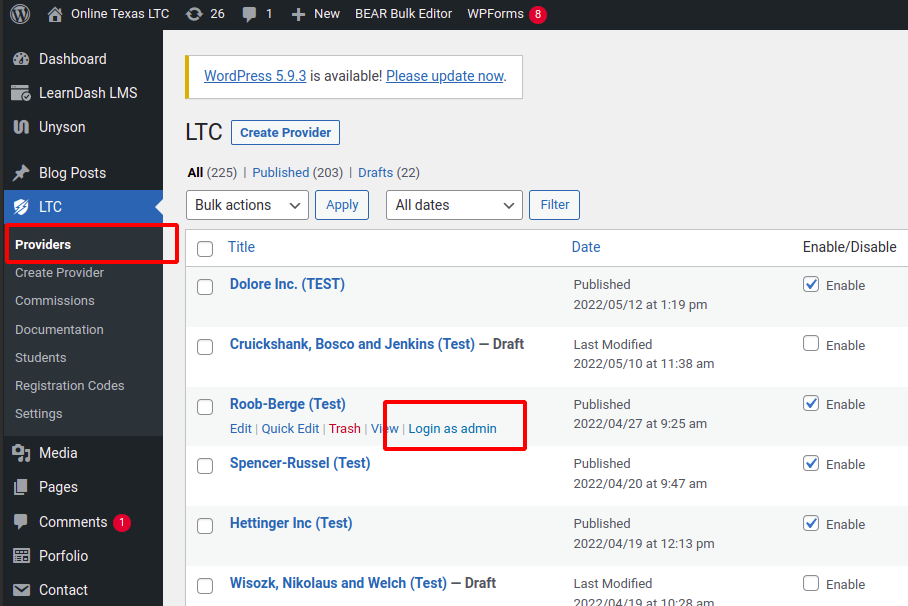
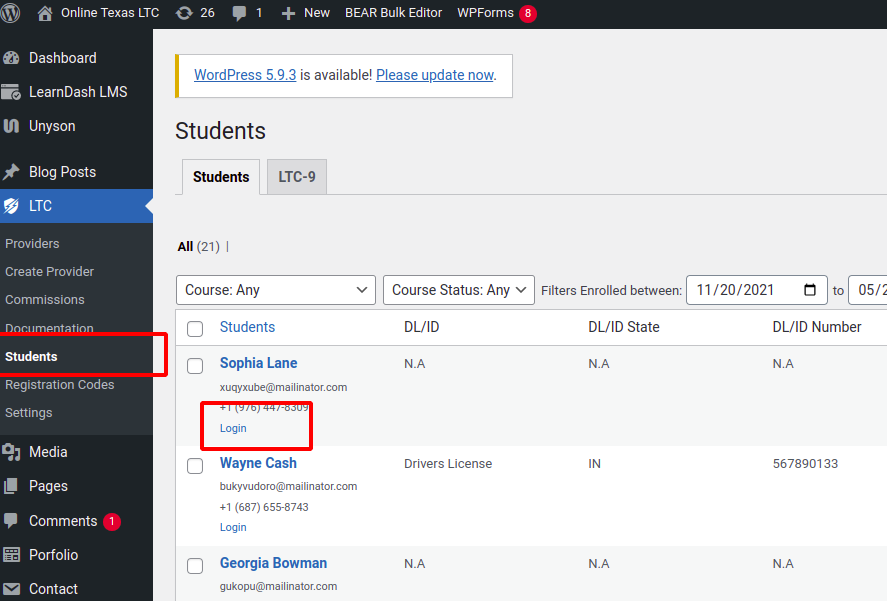
- User Switching: administrators need the ability to switch between (login as) user accounts (provider admin and a student) for troubleshooting/testing purposes.
View the site exactly how that particular user would
This is possible in the current site with the Uncanny Toolkit plugin and works very well