# Business Portal (Provider Backend)
38. Businesses have their own login (or multiple logins). Logging in directs the user to the business portal.
[](https://ltcdocs.sabademoproject.com/uploads/images/gallery/2022-05/image-1652424231020.png)
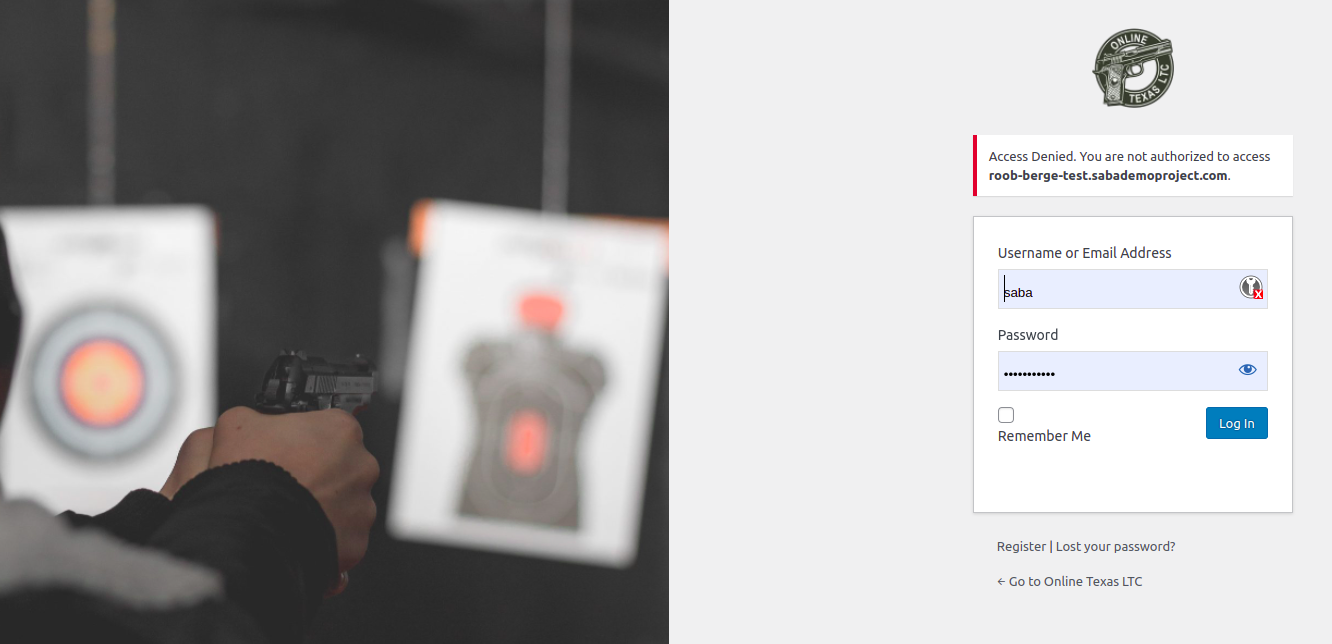
A provider admin can't log in to the main onlinetexasltc.com backend...
[](https://ltcdocs.sabademoproject.com/uploads/images/gallery/2022-05/image-1652424245473.png)
Similarly, every provider can only log in using their own assigned subdomain URL.
39. Multiple business login clarifications: each business can have multiple user accounts associated with it.
[](https://ltcdocs.sabademoproject.com/uploads/images/gallery/2022-05/image-1652424262403.png)
[](https://ltcdocs.sabademoproject.com/uploads/images/gallery/2022-05/image-1652424272373.png)
40. Restrictions should be able to be placed on accounts. Restrictions would prevent a user from potentially deleting/adding a product, or changing pricing, but would still allow the user to view student progress and certificates as described below
[](https://ltcdocs.sabademoproject.com/uploads/images/gallery/2022-05/image-1652424317255.png)
Restrictions can be set by Editing a user...
41. The business portal has multiple tabs/pages that can be navigated
42. The user will be able to view the following
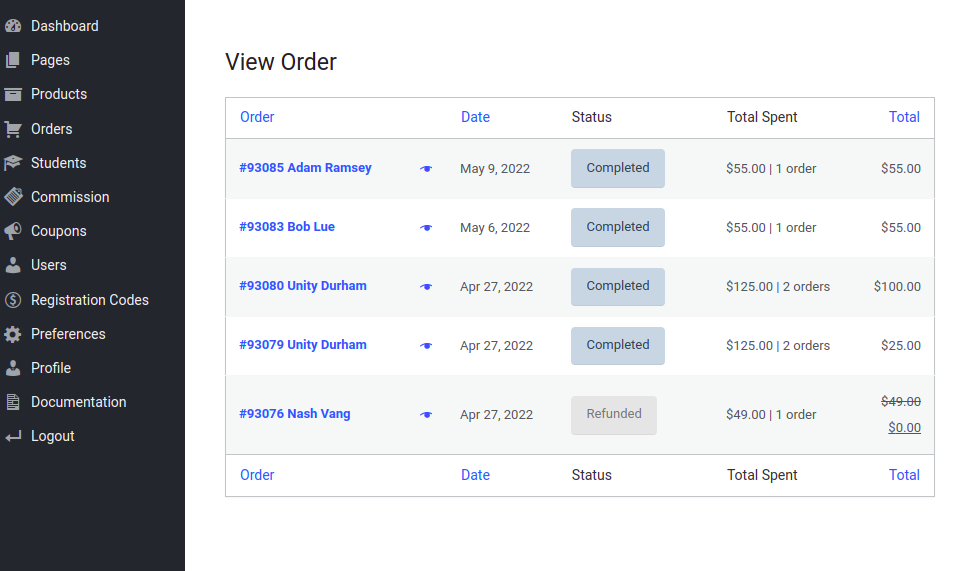
1. All product purchases from the business
[](https://ltcdocs.sabademoproject.com/uploads/images/gallery/2022-05/image-1652424339144.png)
Orders in the provider's admin panel
[](https://ltcdocs.sabademoproject.com/uploads/images/gallery/2022-05/image-1652424370724.png)
Order Details
2. All commissions and associated data
[](https://ltcdocs.sabademoproject.com/uploads/images/gallery/2022-05/image-1652424397379.png)
1. Be able to export purchase and commission data to excel
[](https://ltcdocs.sabademoproject.com/uploads/images/gallery/2022-05/image-1652424408735.png)
2. This export should include the customer name, email address, phone number, date purchased, total purchase price, commission amount, class progress (if applicable), course completion date (if applicable)
[](https://ltcdocs.sabademoproject.com/uploads/images/gallery/2022-05/image-1652424424510.png)
3. Commissions will show which are paid and which are pending
[](https://ltcdocs.sabademoproject.com/uploads/images/gallery/2022-05/image-1652424442606.png)
4. All commissions paid via PayPal payouts should immediately be processed after the purchase and will show paid right away.
5. Commissions paid via direct deposit will show pending until data is sent to ACHWorks, at which time it will change to a paid status.
6. Monthly commission reports
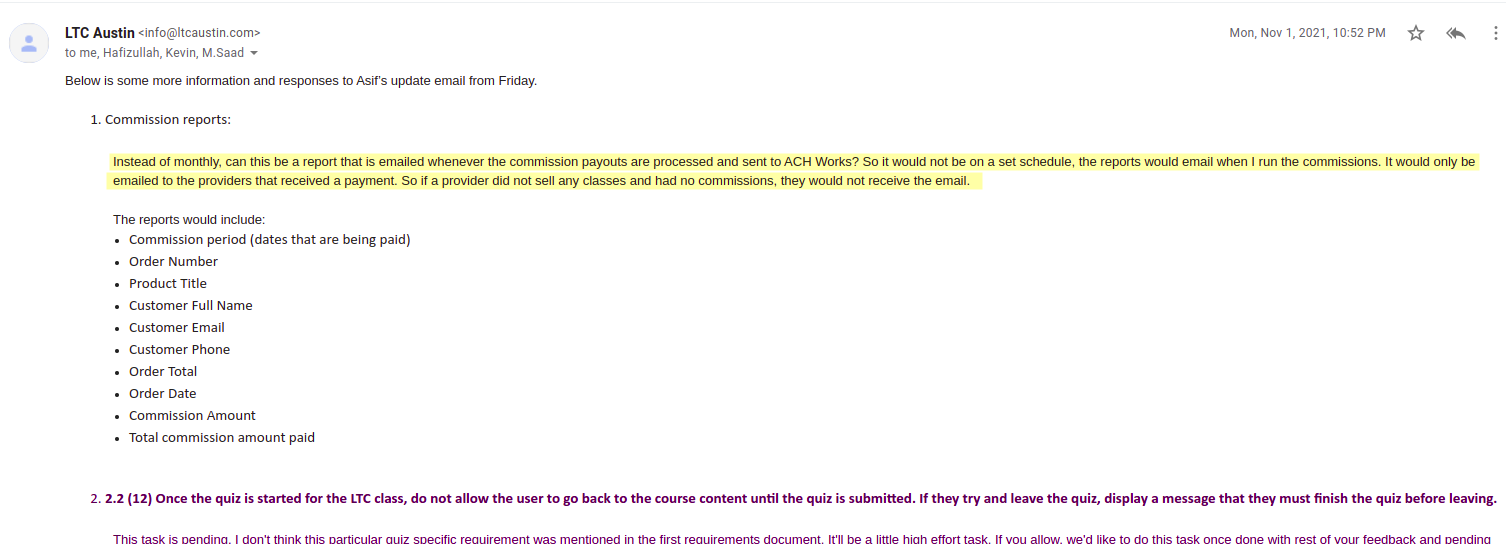
On the 1st of each month, every business will automatically be emailed a full report of commissions paid and/or pending. This report will show how the commissions were paid, how many and of which classes were sold, the commission amounts, and which commissions are still pending (for direct deposits).
[](https://ltcdocs.sabademoproject.com/uploads/images/gallery/2022-05/image-1652424499009.png)
[](https://ltcdocs.sabademoproject.com/uploads/images/gallery/2022-05/image-1652424509681.png)
Sample commission report sent at the time of ACHWorks API execution weekly.
3. **Student management**
1. View table with student progress in the LTC class. \*only for students that purchase the class through their business
[](https://ltcdocs.sabademoproject.com/uploads/images/gallery/2022-05/image-1652424541392.png)
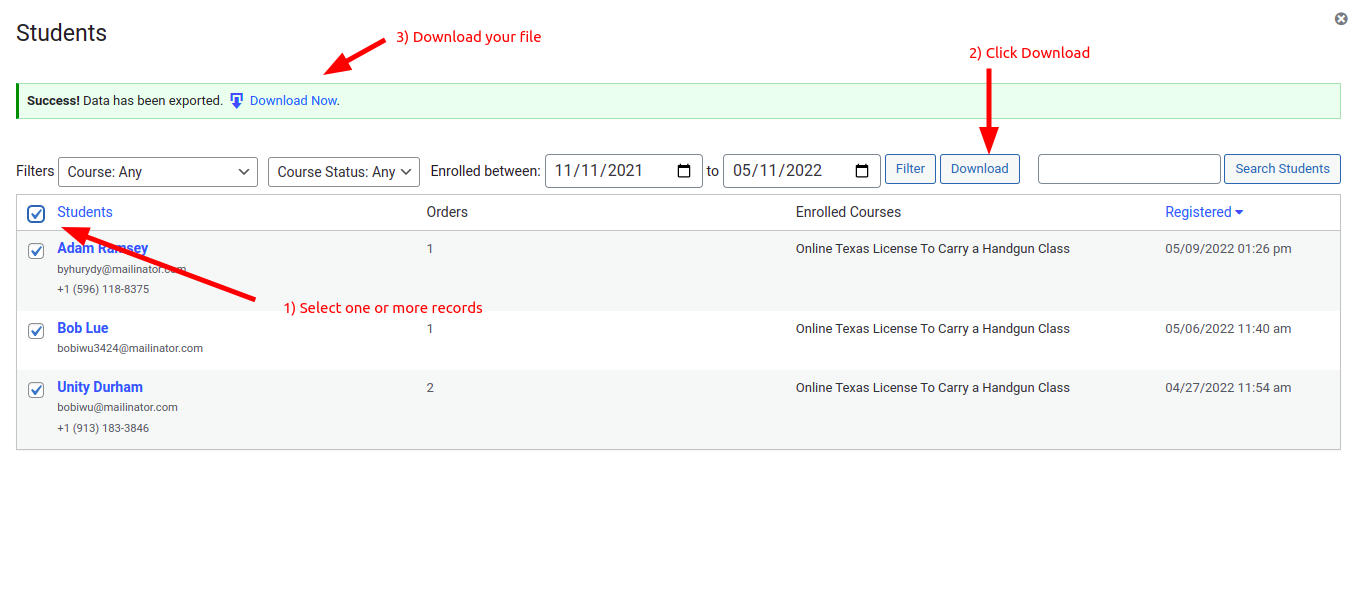
2. For clarification, this table will display the following information: student name, email address, course progress (percentage), certificate download link/button, completion date, and class purchased.
∙ Be able to export this data to excel
[](https://ltcdocs.sabademoproject.com/uploads/images/gallery/2022-05/image-1652424571114.png)
[](https://ltcdocs.sabademoproject.com/uploads/images/gallery/2022-05/image-1652424583340.png)
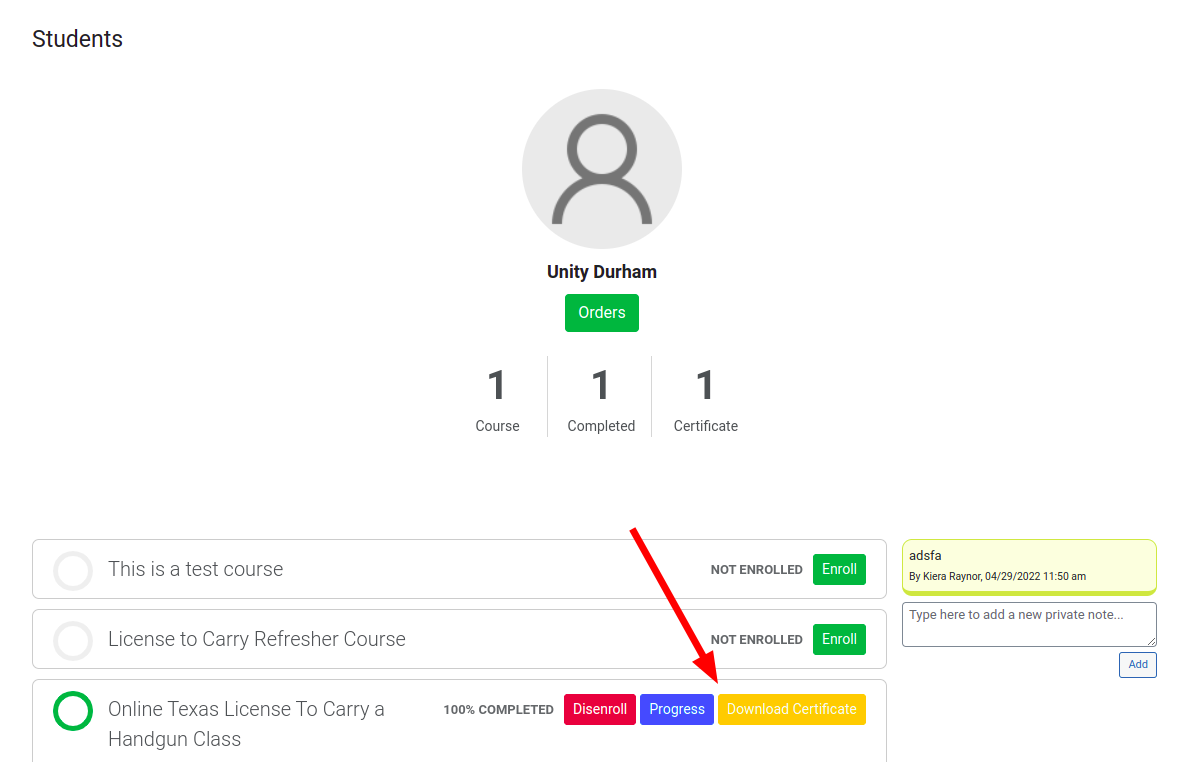
3. Download certificates of training from students that have completed the class
[](https://ltcdocs.sabademoproject.com/uploads/images/gallery/2022-05/image-1652424616815.png)
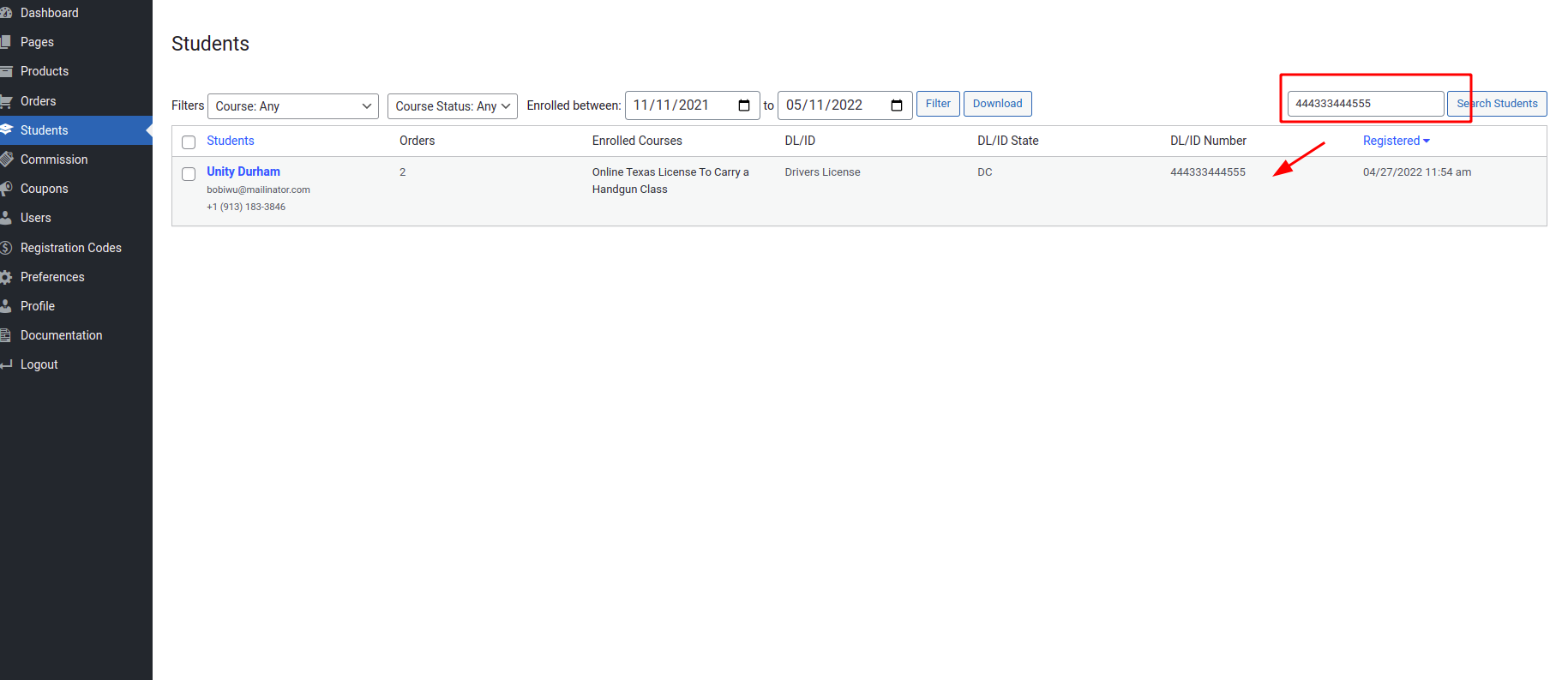
4. Search for students by name or email. or DL/ID number
[](https://ltcdocs.sabademoproject.com/uploads/images/gallery/2022-05/image-1652424633397.png)
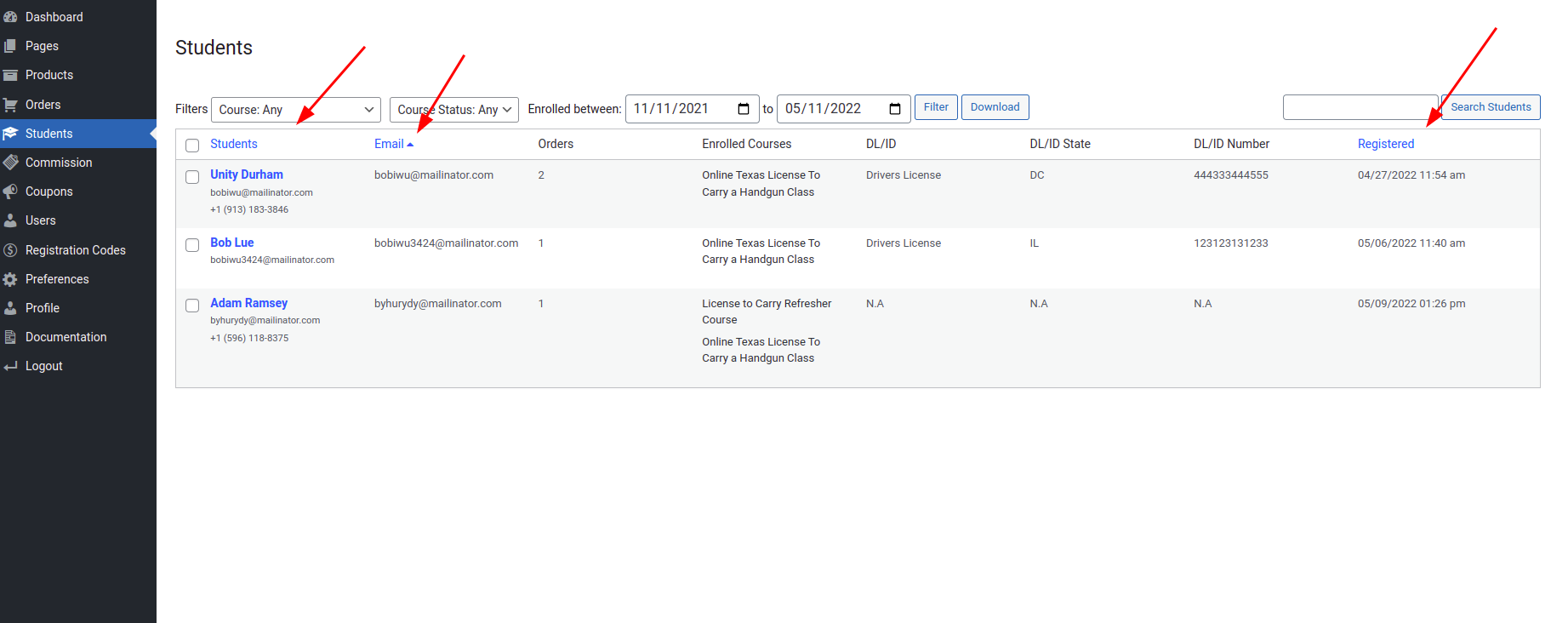
5. Sort by name, email, or class completion date
[](https://ltcdocs.sabademoproject.com/uploads/images/gallery/2022-05/image-1652425084215.png)
Sortable columns...
6. Display which product option the student purchased
[](https://ltcdocs.sabademoproject.com/uploads/images/gallery/2022-05/image-1652425120501.png)
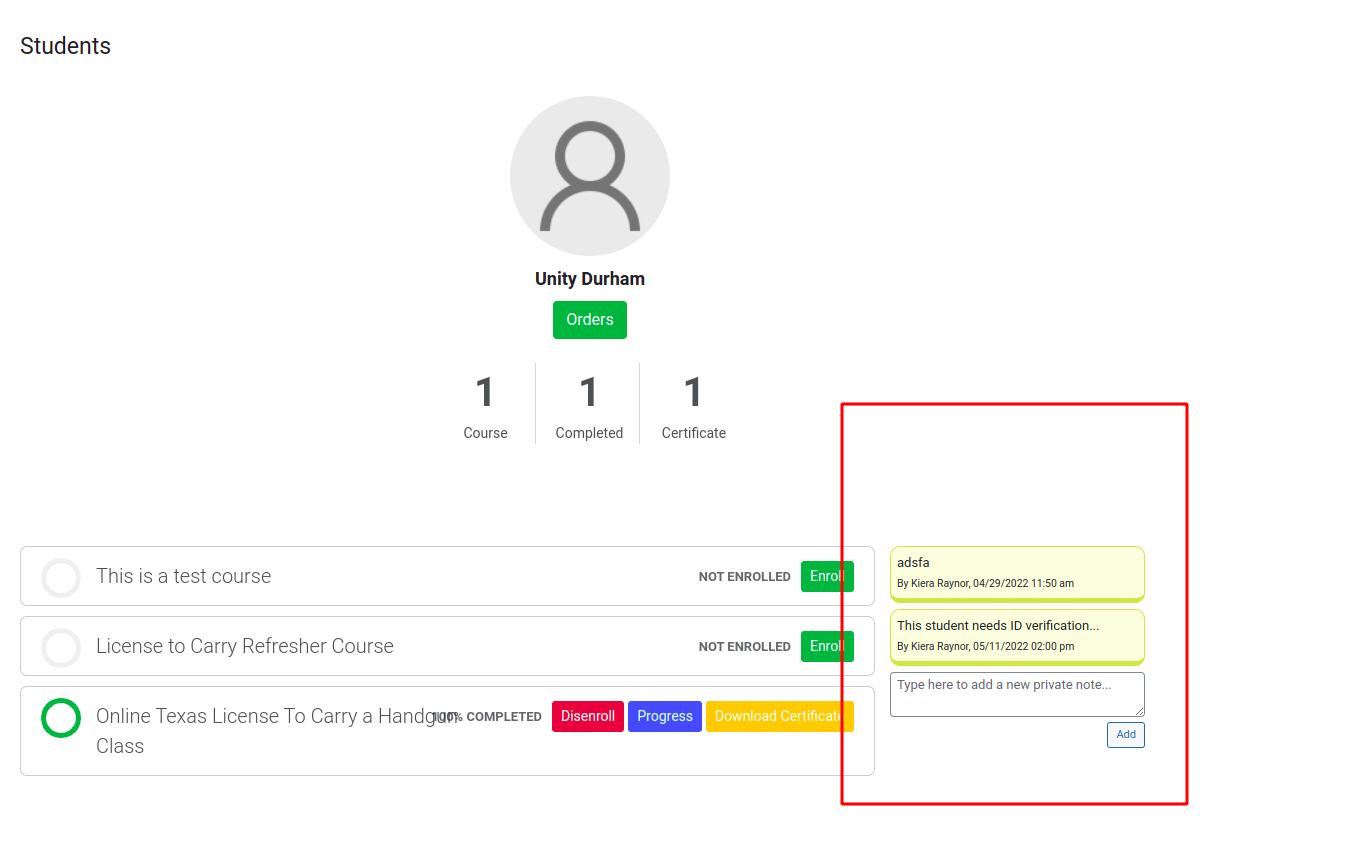
7. Add a spot in the table for the business to add notes to the student (Ability to add student notes)
[](https://ltcdocs.sabademoproject.com/uploads/images/gallery/2022-05/image-1652425130467.png)
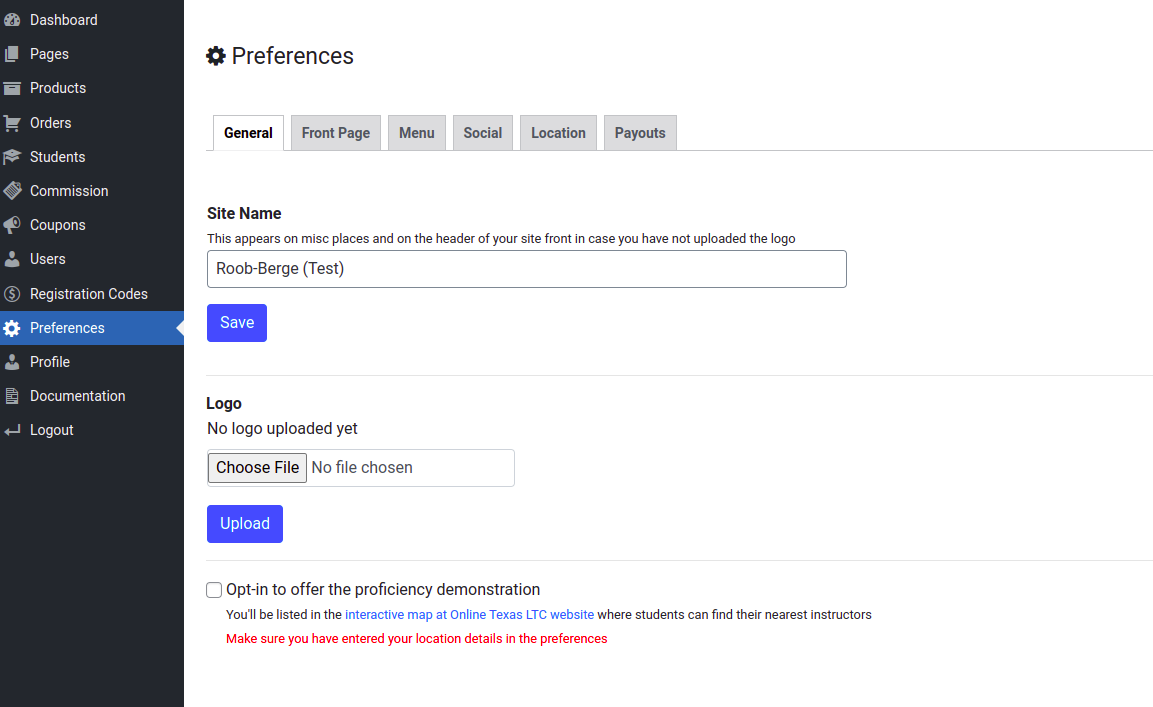
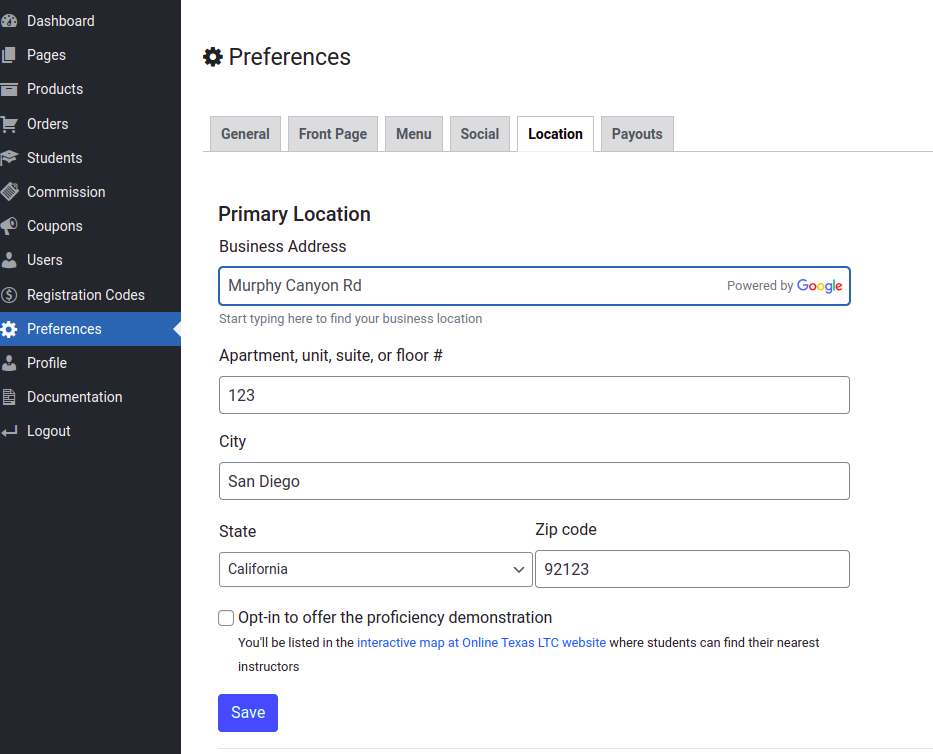
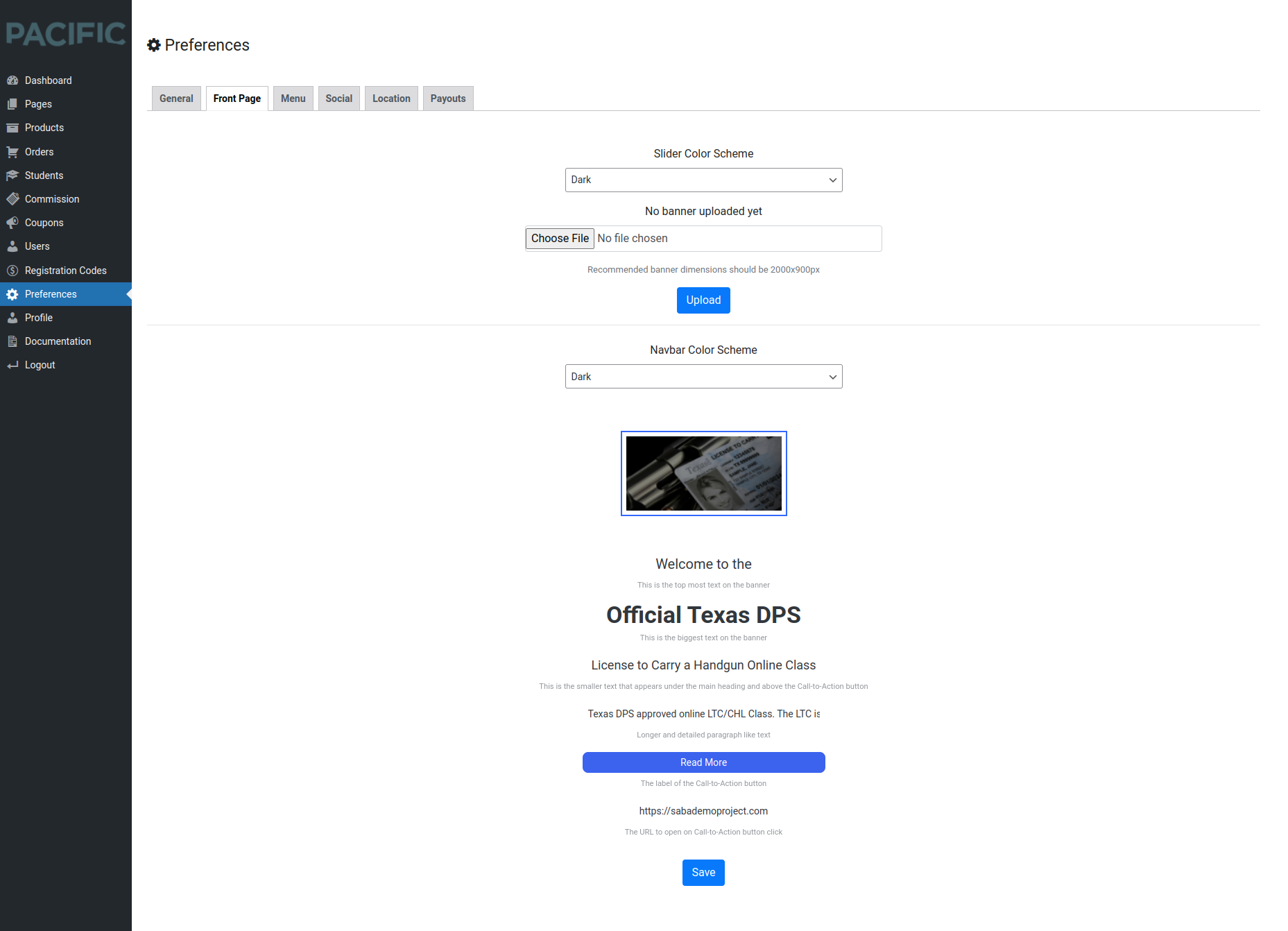
43. The business user will be able to edit/add the following within their portal
1. All business information that is displayed on the web page for the business
Address, phone, email, website, etc
[](https://ltcdocs.sabademoproject.com/uploads/images/gallery/2022-05/image-1652425139274.png)
[](https://ltcdocs.sabademoproject.com/uploads/images/gallery/2022-05/image-1652425146513.png)
[](https://ltcdocs.sabademoproject.com/uploads/images/gallery/2022-05/image-1652425155004.png)
[](https://ltcdocs.sabademoproject.com/uploads/images/gallery/2022-05/image-1652425163370.png)
[](https://ltcdocs.sabademoproject.com/uploads/images/gallery/2022-05/image-1652425171295.png)
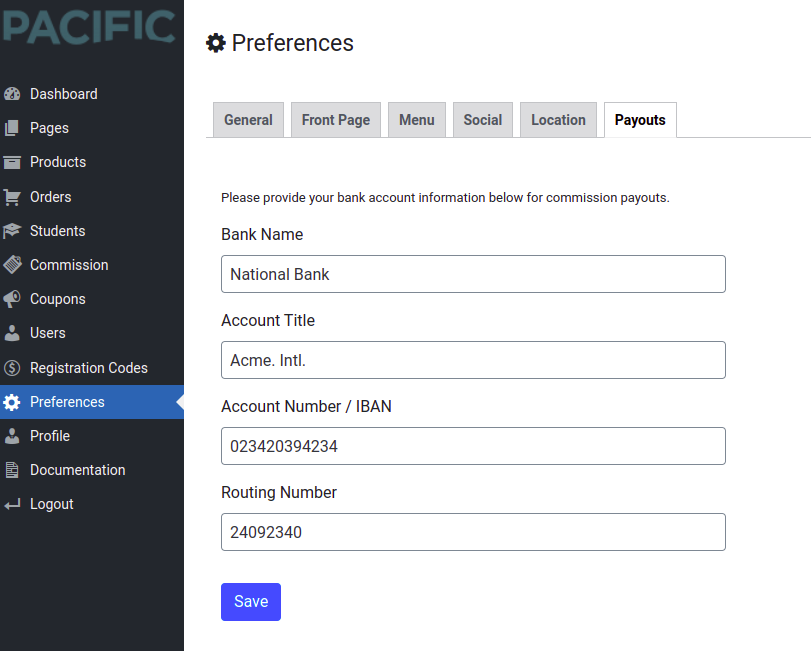
2. Payments
1. Update how commissions are paid (Only ACHWOrks Now)
2. Updated email used for PayPal
3. Select direct deposit as a commission payment option (Only ACHWOrks Now)
4. Collect bank account name, account number, routing number, and whether savings or checking account
[](https://ltcdocs.sabademoproject.com/uploads/images/gallery/2022-05/image-1652425184993.png)
3. **Products**
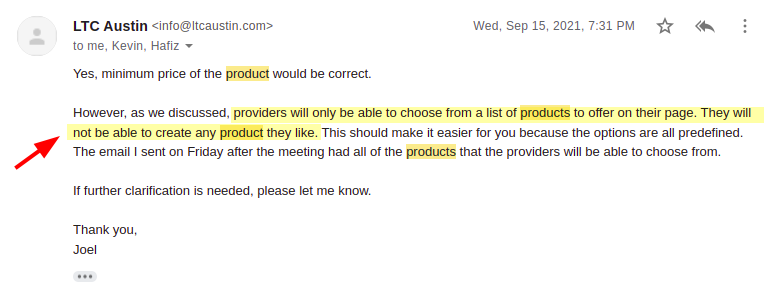
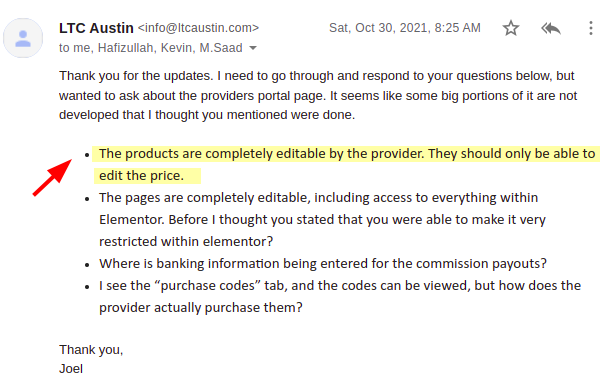
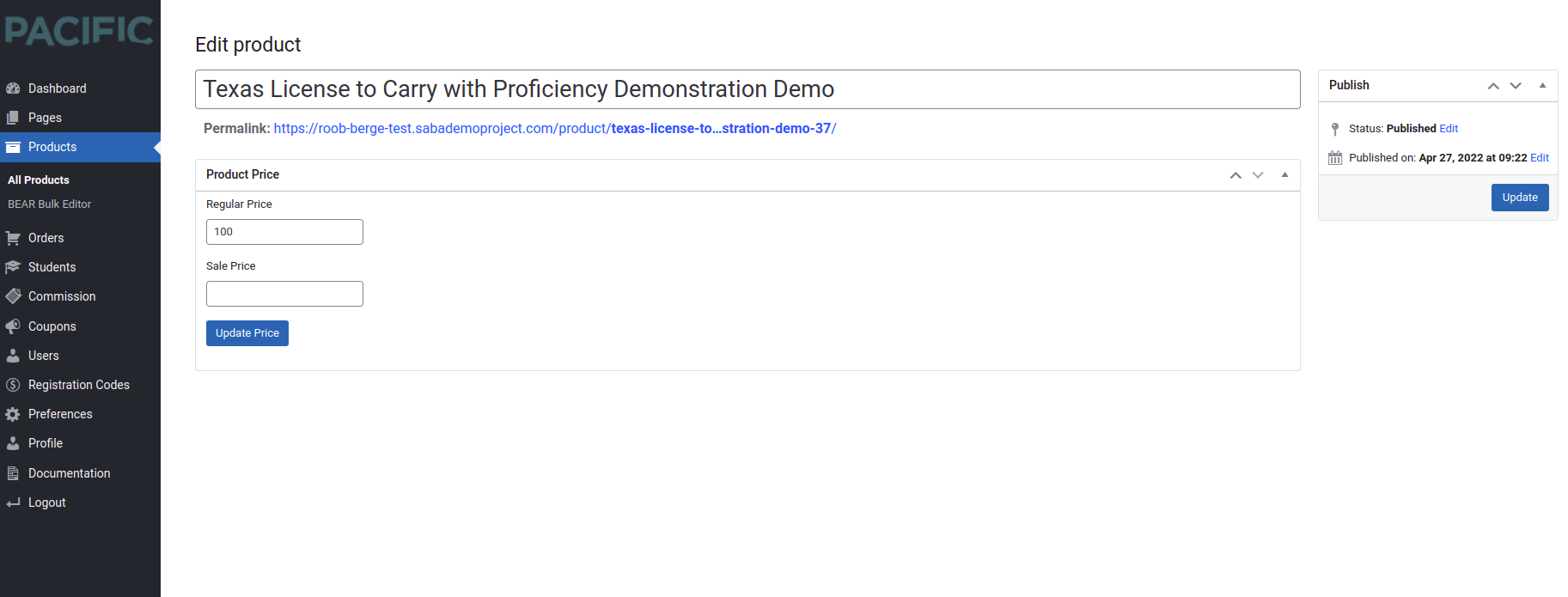
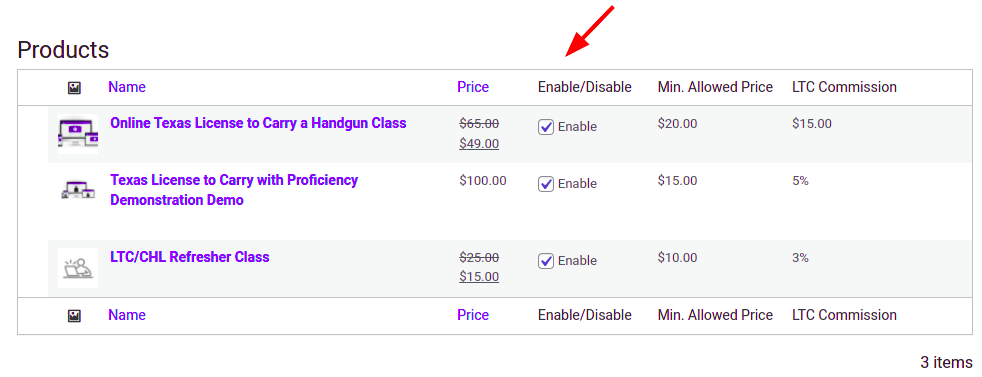
1. Add/edit price only/delete/enable/disable products that the business sells
[](https://ltcdocs.sabademoproject.com/uploads/images/gallery/2022-05/image-1652425209814.png)
[](https://ltcdocs.sabademoproject.com/uploads/images/gallery/2022-05/image-1652425216274.png)
[](https://ltcdocs.sabademoproject.com/uploads/images/gallery/2022-05/image-1652425224886.png)
Only the price can be edited
[](https://ltcdocs.sabademoproject.com/uploads/images/gallery/2022-05/image-1652425492916.png)
Enabling or Disabling a product from Provider Admin
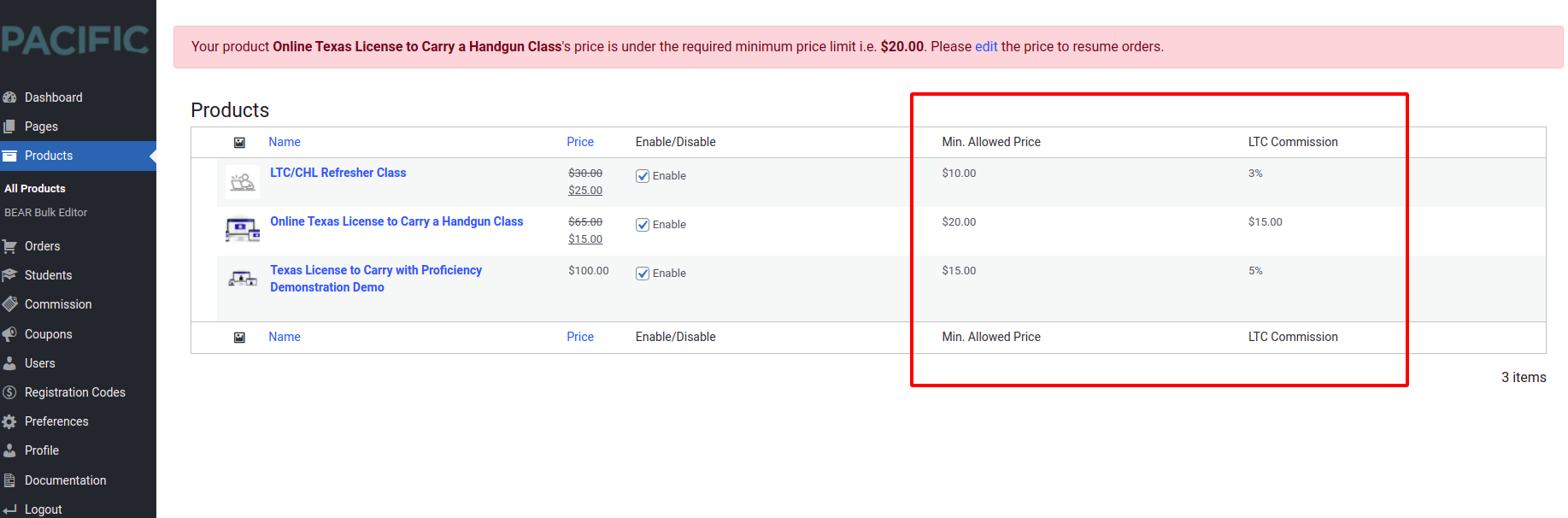
2. Must not be able to set LTC class price below $45 or refresher class price below $10 the specified limit in the commission settings by the super admin.
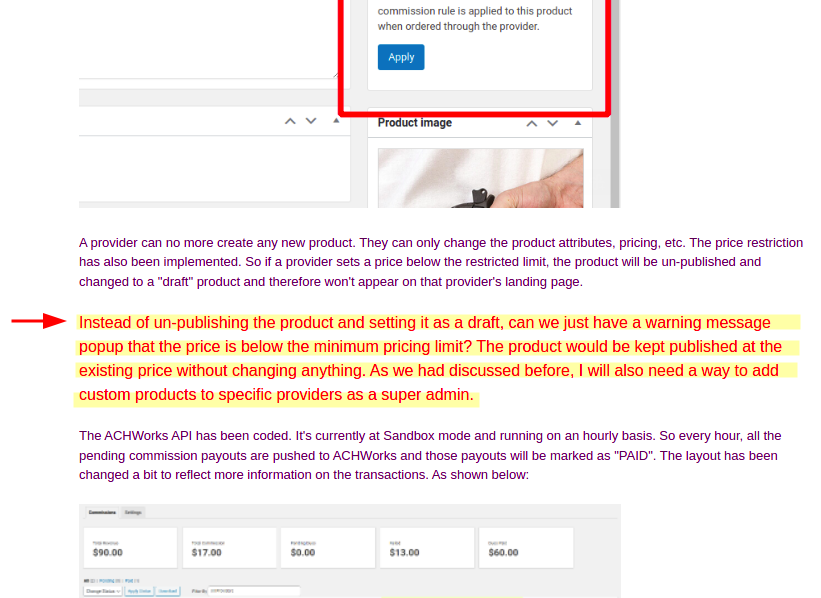
Any product with a price below this limit will still be displayed on the business landing page as per Joel's request.
[](https://ltcdocs.sabademoproject.com/uploads/images/gallery/2022-05/image-1652425651153.png)
👆 How the price limits and applied commissions are displayed to the provider admin
[](https://ltcdocs.sabademoproject.com/uploads/images/gallery/2022-05/image-1652425558755.png)
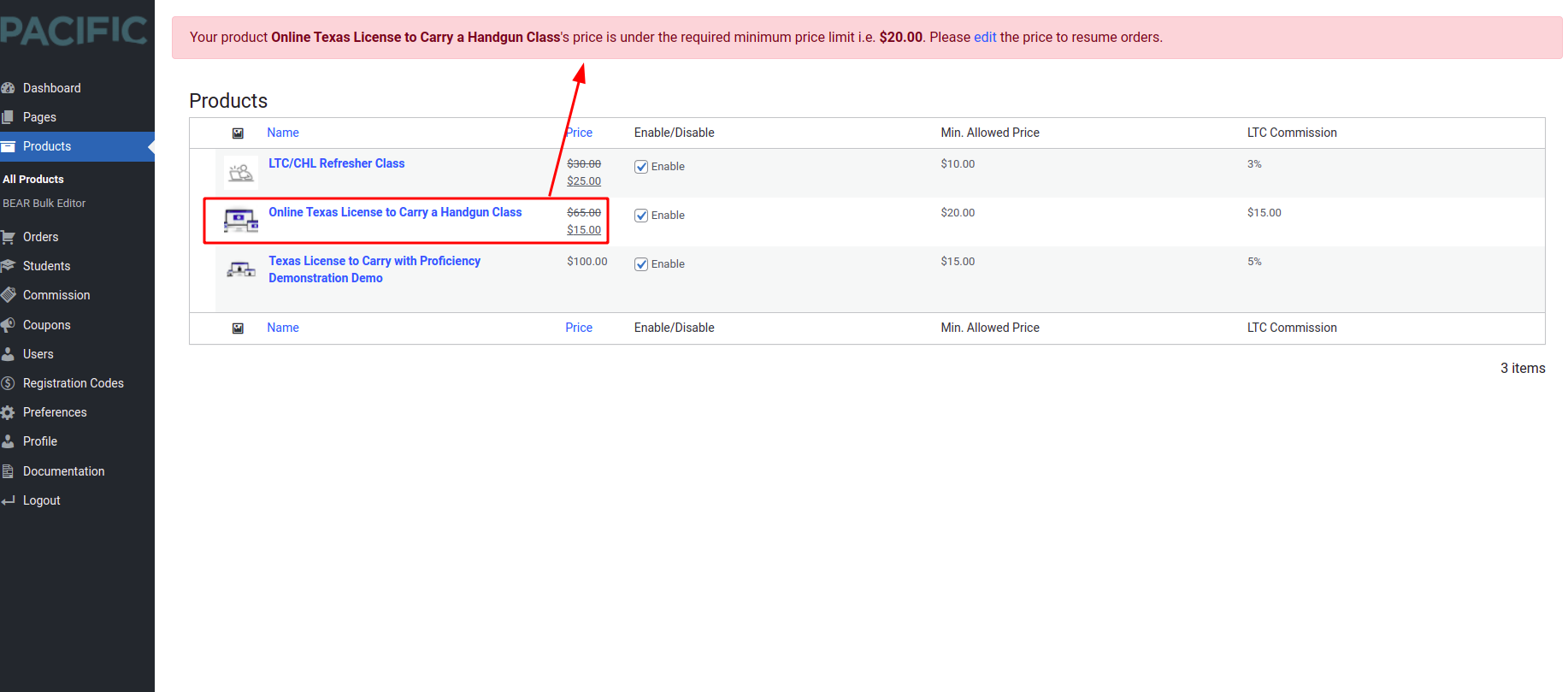
👆 By this instruction of Joel, the provider can set the price below the limit, but will see a warning as shown below:
[](https://ltcdocs.sabademoproject.com/uploads/images/gallery/2022-05/image-1652425572421.png)
3. Specify which online class is included with the purchase.
>>> Only super admin can create (“parent”) products and therefore specify the course
included with a product. Businesses can’t create or change a product. Every new business
gets all “parent” products copied to their site.
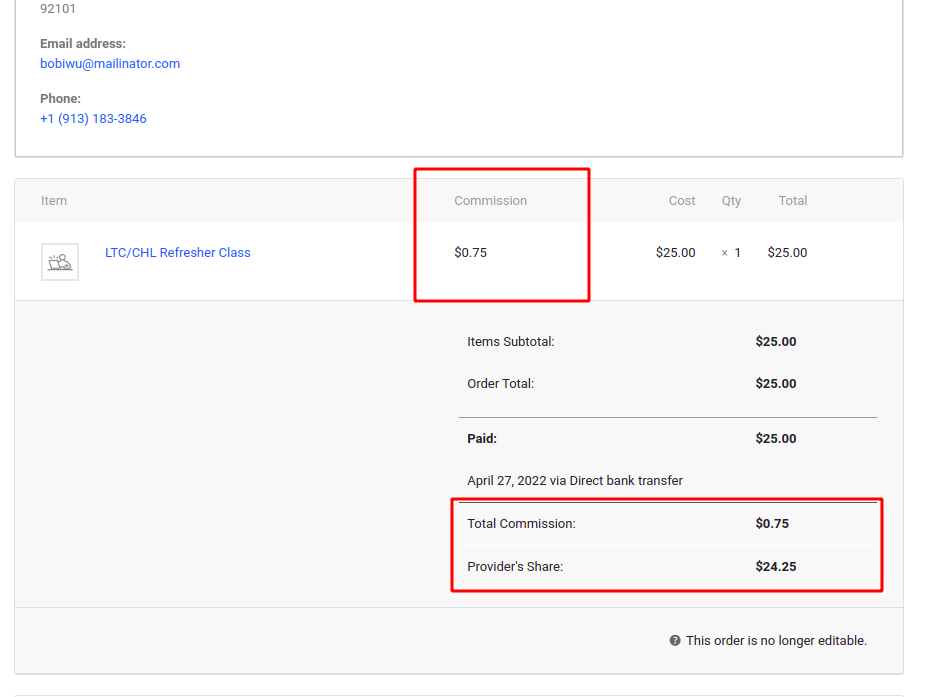
4. Depending on the class included with the purchase will determine the commissions paid
[](https://ltcdocs.sabademoproject.com/uploads/images/gallery/2022-05/image-1652425689223.png)
5. Classes added/edited/deleted associated with the product are automatically reflected (mentioned) on the (product details page) businesses page
4. **Coupons**
1. Businesses will be able to create coupon codes that are for their products only
[](https://ltcdocs.sabademoproject.com/uploads/images/gallery/2022-05/image-1652427078631.png)
[](https://ltcdocs.sabademoproject.com/uploads/images/gallery/2022-05/image-1652427091831.png)
👆 Product restrictions for the provider. Only their own products are listed here. Even if they leave it empty, the coupon applies to their products only.
2. Coupon codes cannot be created that bring any product with the LTC class associated below $25 or below $8 if it is associated with the refresher class.
The allowed price restriction is already applied to the product price as mentioned above.
5. **Purchase Registration Codes**
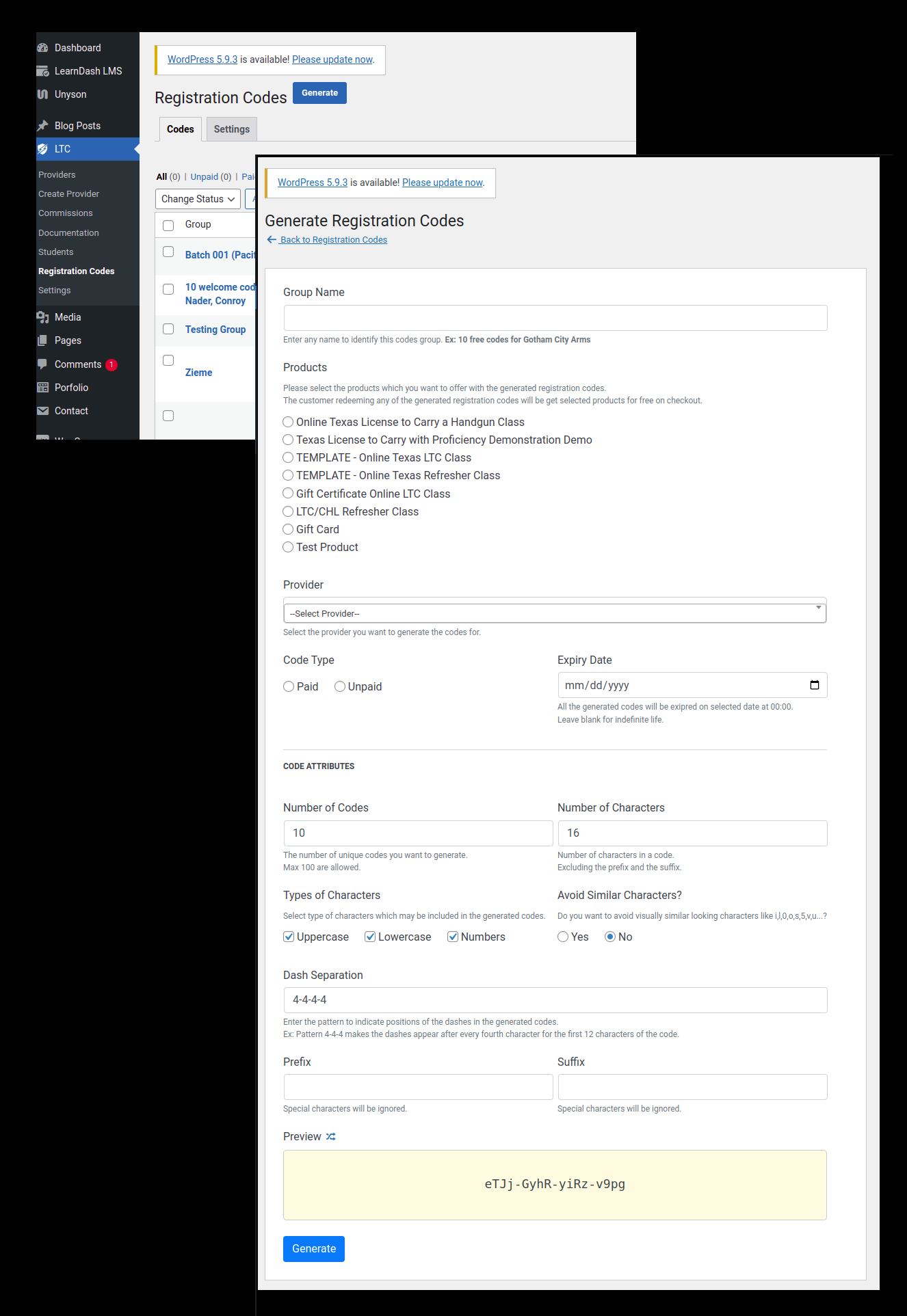
1. Businesses can purchase codes that are redeemable for the online LTC class. Businesses give/sell these codes to customers and the customer can then use the code on the website to redeem it for the online class.
[](https://ltcdocs.sabademoproject.com/uploads/images/gallery/2022-05/image-1652427177243.png)
👆 Creating Purchase Codes
[](https://ltcdocs.sabademoproject.com/uploads/images/gallery/2022-05/image-1652427214294.png)
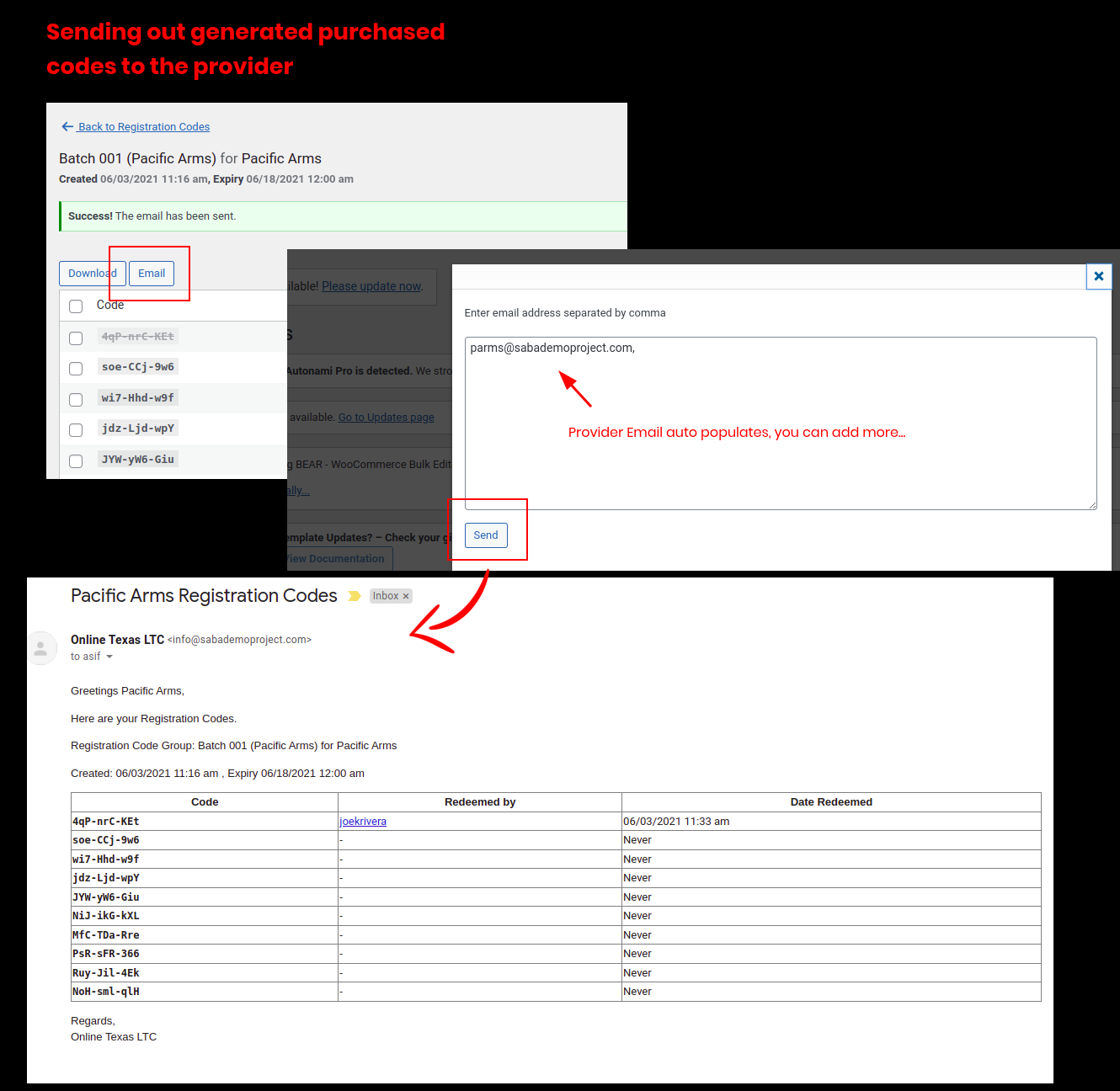
👆 Sending Purchase Codes by Email (via Super Admin)
[](https://ltcdocs.sabademoproject.com/uploads/images/gallery/2022-05/image-1652427270064.png)
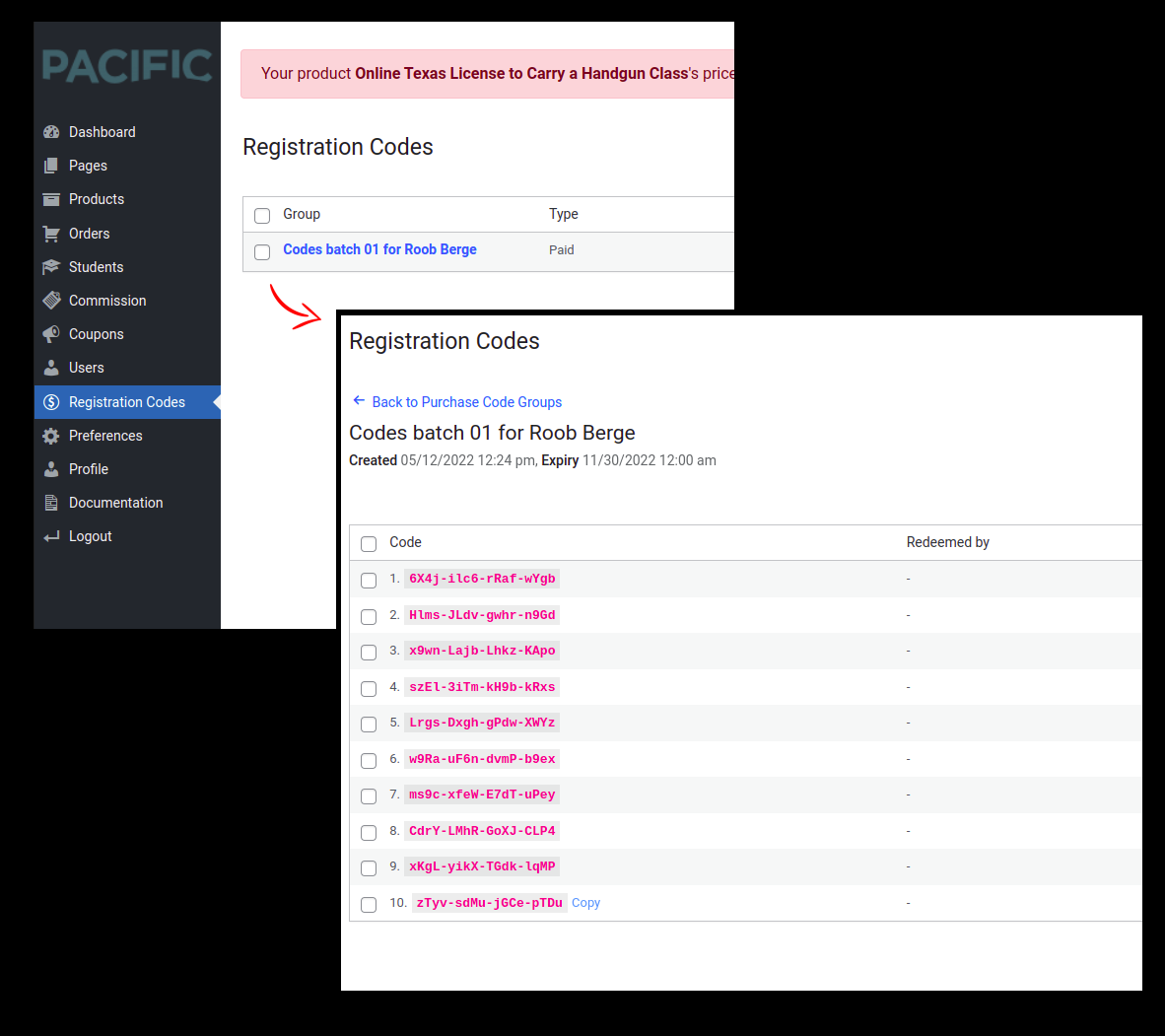
👆 Purchase codes in Provider Admin
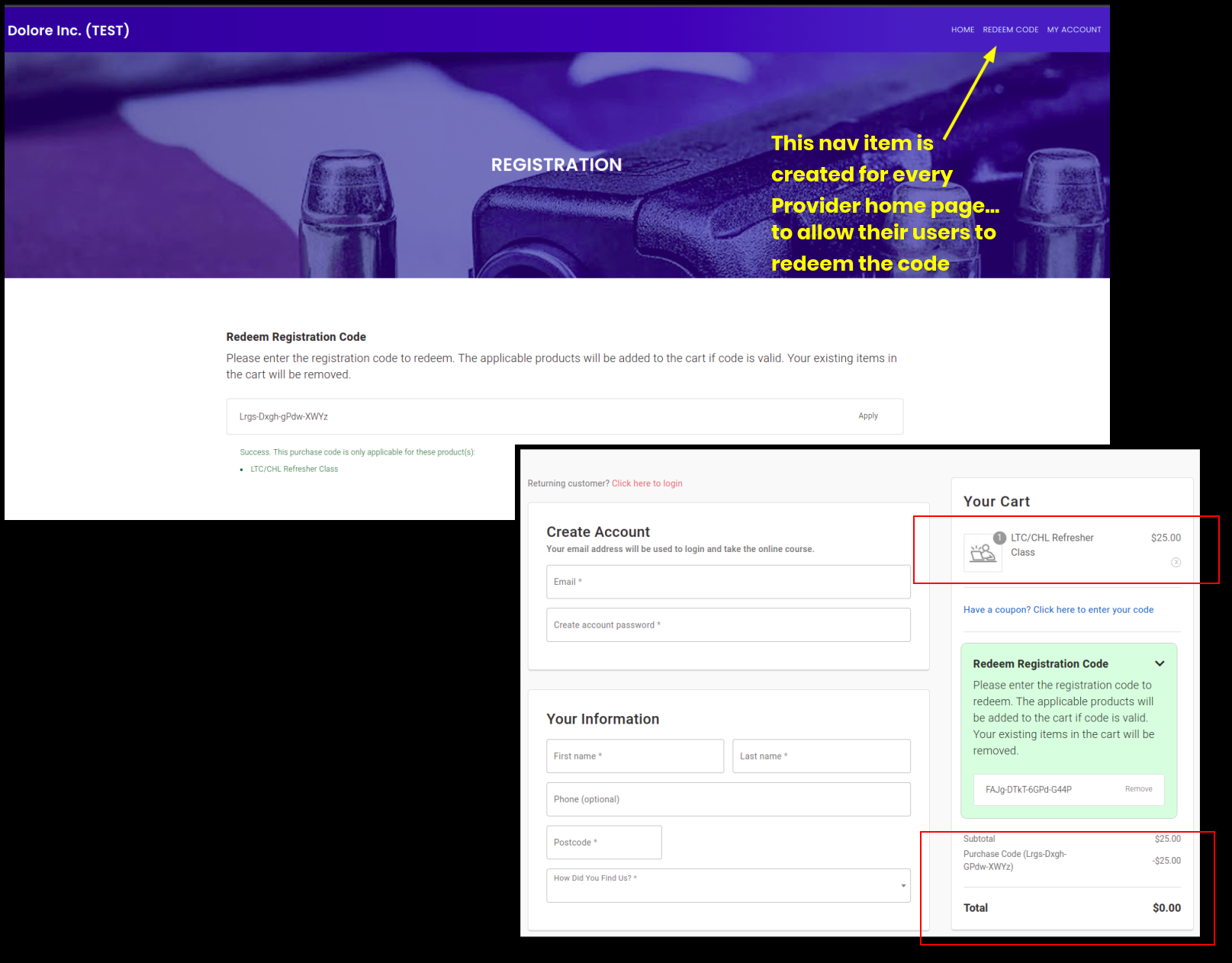
2. When a code from a business is used, the customer will be enrolled get the associated products added to the cart with a 100% discount, and will be enrolled in the associated courses after checkout, in the online LTC class, and be associated with the business the code came from.
[](https://ltcdocs.sabademoproject.com/uploads/images/gallery/2022-05/image-1652427357403.png)
👆 Redeeming a purchase code from Provider's home page
3. Codes purchased and which ones have been used and by what customers will be viewable in the business portal
[](https://ltcdocs.sabademoproject.com/uploads/images/gallery/2022-05/image-1652427391447.png)
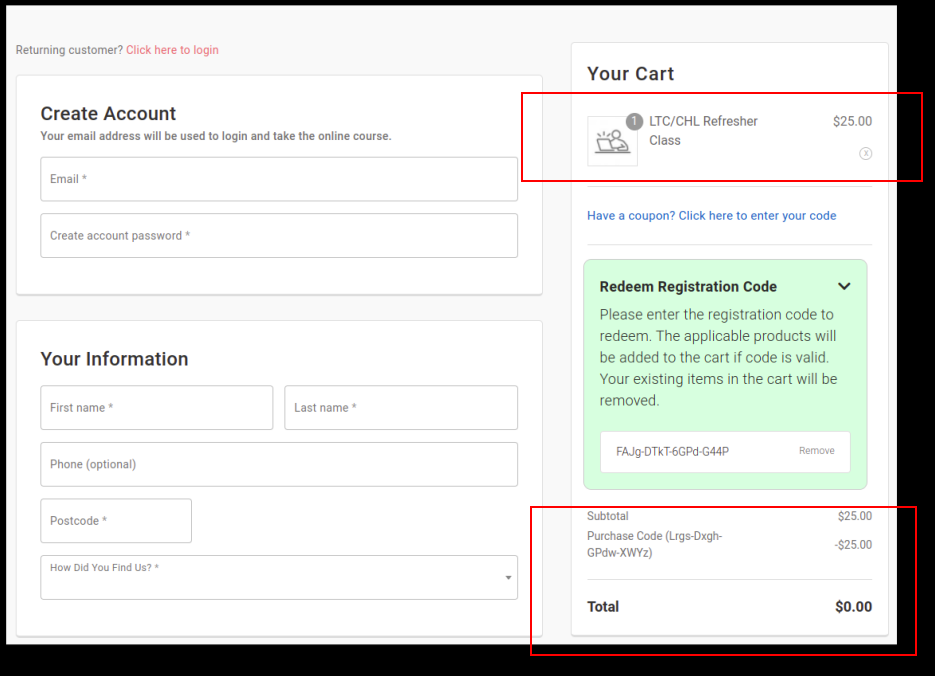
4. On the checkout page, an additional field across from or under “coupon codes” will be entered for “registration codes” and also a dedicated page to redeem the code
[](https://ltcdocs.sabademoproject.com/uploads/images/gallery/2022-05/image-1652427401160.png)
5. When the code is entered, as long as it is a valid code, the current cart contents are emptied, and the online LTC class is added. The price would be $0 associated products added to the cart with a 100% discount and after checkout, the student is also associated with the business that the code came from.
6. Businesses can select if they want codes mailed to them on cards and discounts are offered depending on the number of codes purchased.
[](https://ltcdocs.sabademoproject.com/uploads/images/gallery/2022-05/image-1652427492153.png)
👆 From Provider Admin
[](https://ltcdocs.sabademoproject.com/uploads/images/gallery/2022-05/image-1652427530118.png)
👆 How it's indicated on the providers' list in Super Admin
7. Registration code purchase receipts will be emailed to the business and to OnlineTexasLTC
[](https://ltcdocs.sabademoproject.com/uploads/images/gallery/2022-05/image-1652427586786.png)
👆 Email alert to super admin
[](https://ltcdocs.sabademoproject.com/uploads/images/gallery/2022-05/image-1652427671418.png)
👆 Email alert for provider admin (in the order alert email)
8. Existing codes created will be imported into the new website
**>>>** Yes, we have included this in the sync script
44. **Backend direct sales page** This whole section is on hold as a post-go-live task (including the Authorize.net payment method to be used in the backend)
1. Through the business portal, the business user can process the sale of a class for a customer Customer provides the business their name, email, and CC details.
2. Business processes the transaction and the student is emailed their login/class information and receipt
3. A generic password is automatically created for the customer and sent with the above email
45. **Edit course completion notifications** (Custom Email Templates for every business)
1. The notification that is sent at the end of the class is different for every business.
2. A default template will be used, but the businesses will be able to edit the information in the notification.
3. Different notifications can be set depending on the product purchased from the business
4. Only products containing the online LTC class will have course completion notifications
(We developed it for all products)
[](https://ltcdocs.sabademoproject.com/uploads/images/gallery/2022-05/image-1652449112966.png)
[](https://ltcdocs.sabademoproject.com/uploads/images/gallery/2022-05/image-1652449136474.png)